Is Soldered RAM a Dealbreaker? 5 Risks Before Buying a Laptop
Soldered RAM is not always a dealbreaker, but it removes your upgrade path and can turn a cheap 8GB laptop into an expensive long-term compromise.
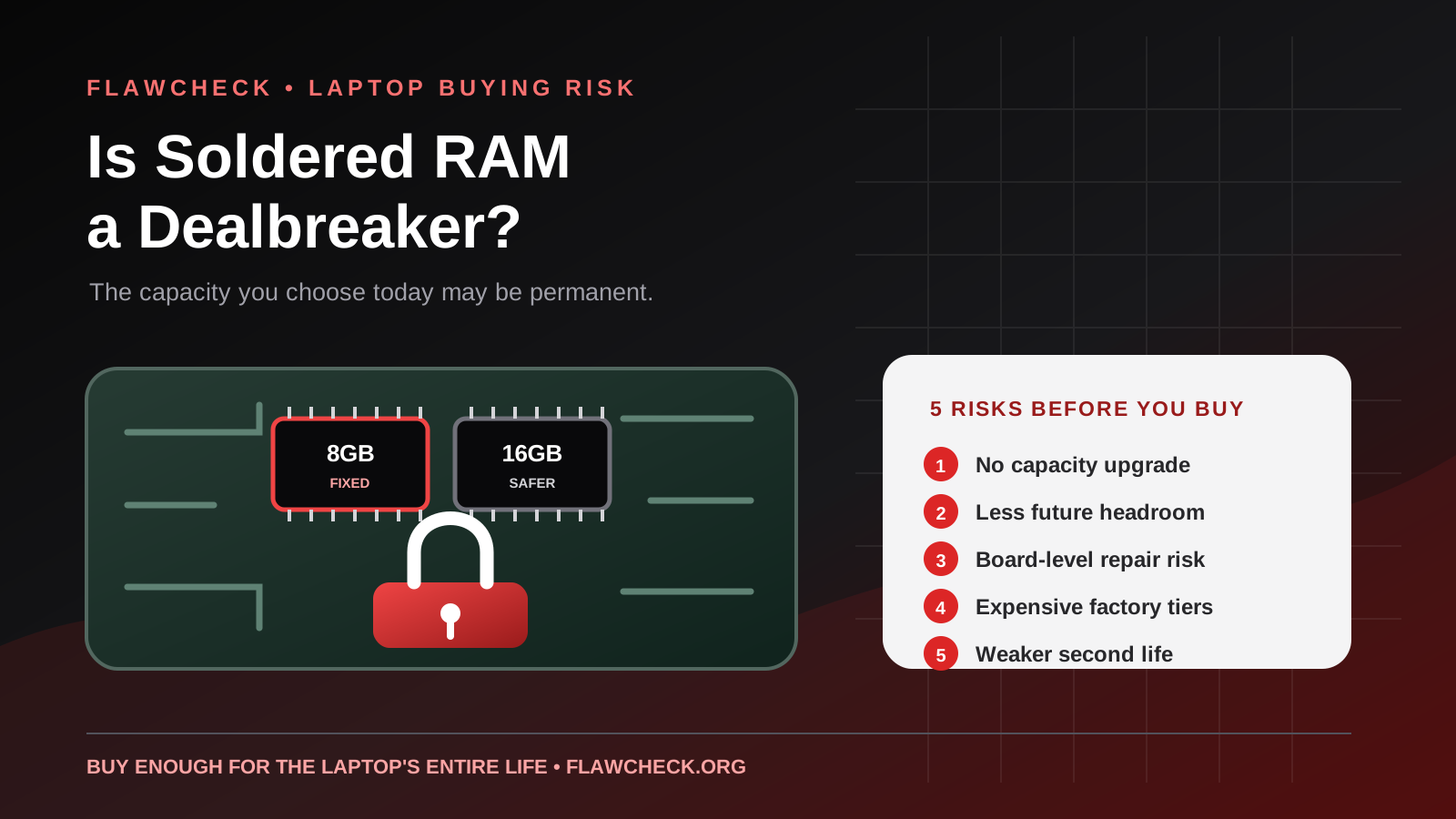
Decision in 30 seconds
What matters most
- ✓ Soldered RAM cannot be upgraded by installing a conventional SODIMM module unless the laptop also includes a separate memory slot.
- ✓ The real dealbreaker is not soldering alone; it is buying too little permanently fixed memory for the workload and ownership period.
- ✓ Microsoft lists 4GB as the Windows 11 installation minimum, but its Copilot+ PC specification requires 16GB of DDR5 or LPDDR5 memory.
- ✓ A fixed 16GB configuration can be reasonable for light and mainstream use, while fixed 8GB leaves much less long-term headroom.
- ✓ Check the exact model number and service documentation because product-family names often cover both upgradeable and non-upgradeable variants.
How we selected
- Installed memory capacity and whether any SODIMM or CAMM2 expansion slot remains available
- Expected ownership period and the heaviest workload likely during that period
- Price difference between the fixed-memory configurations at checkout
- Warranty and motherboard-repair implications if an onboard memory component fails
- Whether thinness, battery life or integrated-graphics performance provides a meaningful benefit in exchange
Bottom line
Soldered RAM is acceptable when the laptop already has enough memory for its entire useful life and the price reflects the lost flexibility. Avoid fixed 8GB configurations for a Windows laptop you expect to keep for three to five years; choose at least 16GB for ordinary long-term use and more for demanding workloads.
Soldered RAM is not automatically a reason to reject a laptop. Buying too little soldered RAM, however, can create a limitation that lasts for every remaining day of ownership.
That distinction matters. A thin laptop with 32GB of fast onboard memory may remain comfortable long after its processor and battery feel old. A cheaper Windows laptop with only 8GB fixed to the motherboard can begin using storage as overflow memory during ordinary multitasking—and there is no conventional upgrade that changes the decision later.
The downside is therefore not simply “soldered equals bad.” It is the combination of:
- permanently fixed capacity;
- an uncertain future workload;
- expensive factory memory upgrades;
- and a laptop expected to last several years.
This guide explains when soldered memory is a reasonable engineering trade-off, when it becomes a dealbreaker, and exactly what to check before buying.
The short answer
Avoid a new Windows laptop with only 8GB of fully soldered RAM if you plan to keep it for three to five years. It may be usable for basic tasks today, but it leaves little margin for heavier websites, video meetings, background applications and future software.
Fixed 16GB is acceptable for many students, office users and general buyers. Fixed 32GB is unlikely to be a practical limitation for mainstream use, although upgradeable memory can still reduce repair risk and improve resale flexibility.
Soldered RAM becomes a dealbreaker when any of the following is true:
- The installed capacity is already close to your normal usage.
- You expect the workload to grow during ownership.
- The laptop has no additional memory slot.
- The higher-memory configuration is unavailable or badly overpriced.
- A motherboard-level memory failure would make the machine uneconomical to repair.
If none of those applies, soldered memory may be an acceptable compromise for a lighter, more efficient or higher-bandwidth design.
What “soldered RAM” actually means
Traditional laptop memory is commonly installed as a SODIMM module. The module sits in a socket and can normally be removed, replaced or supplemented without replacing the motherboard.
Soldered or onboard memory is different. Its memory packages are attached directly to the system board. The user cannot add capacity by removing those packages and inserting a larger retail memory kit.
There are three common layouts:
| Laptop memory layout | Upgrade path | Main downside |
|---|---|---|
| Two SODIMM slots | Replace or add modules | Larger internal footprint and possible speed/power limitations |
| Soldered RAM plus one SODIMM slot | Add one compatible module | Part of the capacity remains fixed; maximum and channel behavior vary |
| Fully soldered RAM | No conventional upgrade | The checkout configuration is effectively permanent |
Do not assume all laptops in one product family use the same layout. A manufacturer may sell one regional SKU with onboard LPDDR memory and another with socketed DDR memory. Even the advertised maximum can change with the processor or display configuration.
For example, ASUS lists Vivobook Go 15 E1504F configurations with 8GB or 16GB LPDDR5 onboard memory, and the maximum system memory corresponds to the installed configuration. That is materially different from a laptop listing one or two SODIMM slots. ASUS Vivobook Go 15 specifications
Our ASUS Vivobook Go 15 review examines why the 8GB configuration is especially restrictive when paired with Windows 11 and no expansion slot.
Risk 1: the capacity decision cannot be corrected later
With socketed memory, an 8GB laptop can sometimes become a 16GB or 32GB machine for the price of a memory kit. With fully soldered memory, the practical alternatives are usually to tolerate the limitation, replace the motherboard, or replace the laptop.
This changes the buying calculation. Saving $50 or $100 today is less attractive if insufficient memory shortens the useful life of a $600–$1,000 computer.
The safest way to choose capacity is to ignore the lightest task you perform today and consider the heaviest realistic workload during the ownership period:
- Will browser tab counts increase?
- Will the laptop be used for Teams, Zoom or screen sharing?
- Could schoolwork expand into programming, data analysis or creative software?
- Will integrated graphics reserve part of system memory?
- Are virtual machines, local AI tools or large photo libraries plausible later?
You do not need to buy an extreme amount “just in case.” You do need enough margin that one normal change in workload does not make the whole laptop feel obsolete.
Risk 2: minimum system requirements are not comfortable-use targets
Microsoft lists 4GB of RAM as the minimum requirement for installing Windows 11. That figure establishes basic eligibility; it does not promise comfortable multitasking throughout the life of a new laptop. Microsoft Windows 11 system requirements
Microsoft’s newer Copilot+ PC category illustrates the difference between “runs Windows” and a modern performance baseline. Copilot+ PCs require 16GB of DDR5 or LPDDR5 RAM, along with at least 256GB of storage and a qualifying NPU. The requirement does not mean every buyer needs Copilot+ features. It does show that Microsoft itself treats 16GB as the starting point for this newer class of Windows computer.
When physical memory fills, Windows can move less-active data to a page file on the SSD. This prevents an immediate crash, but SSD access has far higher latency than DRAM. The symptoms may include delayed tab switching, applications reloading and inconsistent responsiveness.
Phones make a related trade through compressed memory, swap and vendor features such as RAM Plus. Our guide to whether virtual RAM makes a phone faster explains why these mechanisms can reduce some app reloads but cannot replace physical DRAM.
Paging does not automatically destroy a modern SSD, and memory usage shown in Task Manager is not proof that the system is failing. The practical warning signs are sustained high memory pressure combined with noticeable slowdowns during a repeatable workload.
Risk 3: memory failure becomes a motherboard problem
A failed SODIMM can often be removed and replaced independently. When a soldered memory component or its surrounding board circuitry fails, repair generally requires board-level diagnosis or motherboard replacement.
That does not mean soldered memory fails frequently. A theoretical failure possibility should not be presented as though every buyer will experience it. The important issue is failure consequence: a small component problem can become an expensive whole-board repair.
Before purchasing, check:
- the standard warranty period;
- the cost and availability of an extended warranty;
- whether the manufacturer offers motherboard repairs locally;
- whether storage is removable, so data recovery remains possible if the board fails;
- and whether the model has a usable service manual or parts channel.
Repairability matters most after the warranty expires. A premium laptop with adequate soldered memory and excellent service support may still be a better long-term purchase than a poorly built budget model with replaceable RAM.
Risk 4: factory upgrades can be disproportionately expensive
Soldered memory removes aftermarket competition after purchase. The manufacturer controls which capacities are offered, which other components must be bundled with them and how much the upgrade costs.
A buyer may want 32GB of RAM but be forced into a more expensive processor, storage tier or premium display. This bundling makes the real memory upgrade cost larger than the price difference between retail modules.
Compare complete configurations rather than looking only at the base price:
| Question | Why it matters |
|---|---|
| What does 16GB cost at checkout? | This is the last straightforward moment to buy more capacity |
| Is 32GB tied to a faster processor? | The apparent RAM surcharge may include unwanted upgrades |
| Is a socketed competitor similarly priced? | Replaceable memory has option value during ownership |
| Does the laptop have one free slot? | “Onboard memory” does not always mean zero expandability |
| Is the higher-memory SKU sold in your country? | A configuration shown globally may not be purchasable locally |
Our Samsung Galaxy Book6 14 review shows the problem in a current product context: the entry configuration combines 8GB LPDDR5X memory with other cost-cutting choices. Even without treating every LPDDR design identically, an 8GB base model deserves more scrutiny when the buyer expects several years of browser-heavy Windows use.
Risk 5: resale and second-life flexibility are reduced
A laptop often changes roles. A premium work machine may later become a family computer, student laptop or home server. Upgradeable memory makes that second life easier because a future owner can adapt the machine to a different workload.
Fixed memory narrows the pool of comfortable future uses. An 8GB machine that was adequate for one person’s light workflow may be unattractive to a buyer who needs development tools or creative applications. The resale penalty will vary with brand, age, battery condition and the overall market, but the lack of an upgrade path cannot be reversed.
This is also why memory capacity should be evaluated alongside storage. A replaceable SSD cannot compensate for insufficient RAM, but removable storage can extend capacity and simplify data recovery even when memory is fixed.
Why manufacturers solder RAM
Soldered memory is not used only to frustrate buyers. It can support legitimate design goals:
- thinner motherboards and laptop bodies;
- lower-power LPDDR memory;
- short signal paths and high memory bandwidth;
- tightly integrated processor and graphics designs;
- and fewer socket or module constraints.
These advantages are most persuasive in ultraportables where battery life, weight and integrated-graphics bandwidth are central to the product. They are less convincing when a large budget laptop uses 8GB of fixed memory mainly to reach an advertised starting price.
The correct question is therefore not “Is soldered RAM technically better or worse?” It is:
Did the buyer receive enough capacity and a meaningful design benefit in exchange for giving up upgrades and simpler repair?
Is 8GB, 16GB or 32GB enough when it is soldered?
Fixed 8GB: avoid for most new Windows laptops
Eight gigabytes can still handle restrained browsing, documents, email and streaming. The problem is the lack of margin. Combining a modern browser, video meeting, office application, cloud synchronization and security software can expose the limit quickly.
Choose fixed 8GB only when all of the following are true:
- the price is genuinely low;
- the workload is basic and unlikely to grow;
- the expected ownership period is short or secondary use is acceptable;
- and independent return options are good enough to test the real workflow.
Fixed 16GB: reasonable mainstream baseline
Sixteen gigabytes is the safest baseline for general Windows use in 2026. It should suit ordinary office work, study, browsing, light coding and casual editing, provided the buyer does not expect heavy virtual machines, large creative projects or demanding local AI workloads.
It is not “future-proof” in an absolute sense. It is simply much less likely than 8GB to become the first serious bottleneck.
Fixed 32GB: acceptable for many demanding buyers
For developers, photographers, heavier multitaskers and users keeping a premium laptop for years, 32GB removes much of the capacity anxiety. Specialists working with multiple virtual machines, large engineering datasets, high-resolution video or local AI models may need 64GB or an upgradeable workstation.
The more expensive and long-lived the laptop, the stronger the argument for either generous factory memory or a replaceable standard.
How to check before you buy
Never rely on a retailer saying only “16GB RAM.” Use this checklist:
- Record the exact model number or SKU—not just the family name.
- Open the manufacturer’s technical specification page.
- Look for “onboard,” “integrated,” “LPDDR,” “SODIMM,” “memory slots” and “maximum memory.”
- Check whether the quoted maximum equals the installed capacity.
- Search for the official service manual or parts diagram.
- Confirm whether one onboard-plus-one-slot configuration has special capacity or channel limitations.
- Compare the price of the next factory memory tier.
- Check the return policy and test your actual workload immediately.
Windows Task Manager can report installed memory and sometimes the number of slots used, but manufacturer documentation is more reliable before purchase. Retail listings frequently reuse specifications across multiple variants.
Final verdict
Soldered RAM is a conditional dealbreaker, not a universal one.
It is a dealbreaker when the laptop has only 8GB, offers no expansion slot and is expected to remain a primary Windows computer for several years. It may also be unacceptable for buyers whose workloads are unpredictable, whose income depends on the machine or who value inexpensive repairs and upgrades.
It is not necessarily a dealbreaker when the laptop includes 16GB or 32GB appropriate to the workload, delivers real portability or efficiency benefits, and is priced competitively against upgradeable alternatives.
The simplest buying rule is:
Treat fully soldered memory as a lifetime specification. If you would not willingly keep that capacity for the entire life of the laptop, do not buy the configuration.
FlawCheck’s review methodology separates manufacturer specifications from hands-on measurements and owner evidence. For product-specific decisions, verify the precise regional SKU instead of applying a general memory rule to every laptop carrying the same family name.
Editorial disclosure: FlawCheck did not conduct comparative laboratory memory testing for this guide. The assessment is based on published operating-system requirements, manufacturer specifications and documented design implications. Product configurations and regional availability can change.
Frequently Asked Questions
Direct answers to common buyer concerns and uncertainties.
Is soldered RAM always bad?
No. It can support thin designs, low-power memory and high bandwidth. It becomes a poor buying decision when the installed capacity is too small, the manufacturer charges heavily for more memory, or the owner expects to upgrade later.
Can soldered RAM be upgraded?
Not through a normal consumer memory upgrade. A specialist may technically replace soldered chips in limited circumstances, but this is board-level rework rather than a supported or economical laptop upgrade. Some laptops combine soldered memory with one SODIMM slot, so check the exact model.
Is 8GB of soldered RAM enough for Windows 11?
It can run Windows 11 and may handle light browsing and documents, but it offers limited headroom for browser-heavy multitasking, video calls, creative software and future workloads. For a new laptop intended to last several years, 16GB is the safer baseline.
Is 16GB of soldered RAM a dealbreaker?
Not for most light and mainstream users, provided the workload is unlikely to grow beyond 16GB during the laptop's useful life. Developers using virtual machines, creators, engineers and serious gamers should consider 32GB or an upgradeable design.
Does soldered RAM make a laptop faster?
It can enable short electrical paths and fast low-power memory, which may help bandwidth, efficiency and integrated graphics. Performance depends on the complete memory design, capacity and channel configuration; soldering alone does not guarantee a faster laptop.
How can I tell whether laptop RAM is soldered?
Search the exact model or SKU on the manufacturer's specification and service pages. Terms such as onboard, integrated or LPDDR often indicate fixed memory, while SODIMM slots indicate replaceable modules. Do not rely on the product-family name alone.

Written by FlawCheck Editorial Desk
Editorial ResearchFlawCheck's editorial desk is responsible for source review, claim labeling, buyer-risk analysis, publication updates, and corrections. Current articles are research-based unless a documented hands-on method is explicitly provided.
Reviews behind this guide
View All Reviews →
Apple iPhone 18 Pro
"The iPhone 18 Pro is now a confirmed $1,199 flagship with meaningful hardware changes, but launch specifications do not prove that those changes improve ownership enough to justify upgrading. Wait for independent battery, thermal, camera and C2 modem testing if your current phone still works well."
"Starts at $1,199 in the US"
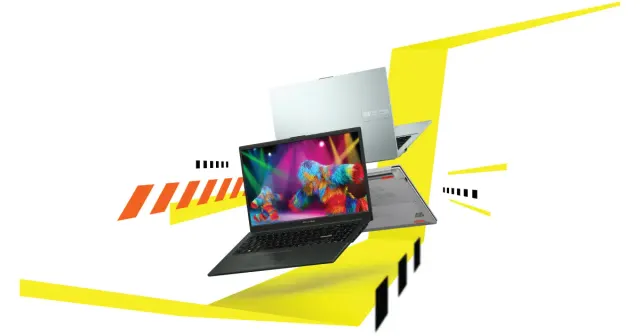
ASUS Vivobook Go 15 OLED Slim Laptop
"A budget-friendly 15.6-inch laptop crippled by non-expandable 8GB soldered memory, an outdated Zen 2 CPU architecture, dim 250-nit screen, and plastic chassis flex."
"8GB LPDDR5 RAM is permanently soldered to the motherboard (Zero upgrade slots)"

Boltt Ace 5G
"The Ace 5G offers a large battery, NFC and a clear update promise for its price, but the coarse display, 18W charging, heavy chassis and Boltt's unproven delivery record make waiting for independent tests the safer choice."
"6.79-inch display is only HD+"