The 8GB LPDDR5 RAM is permanently soldered to the motherboard with zero expansion slots. Furthermore, the Ryzen 5 7520U uses outdated Zen 2 CPU cores from 2020.
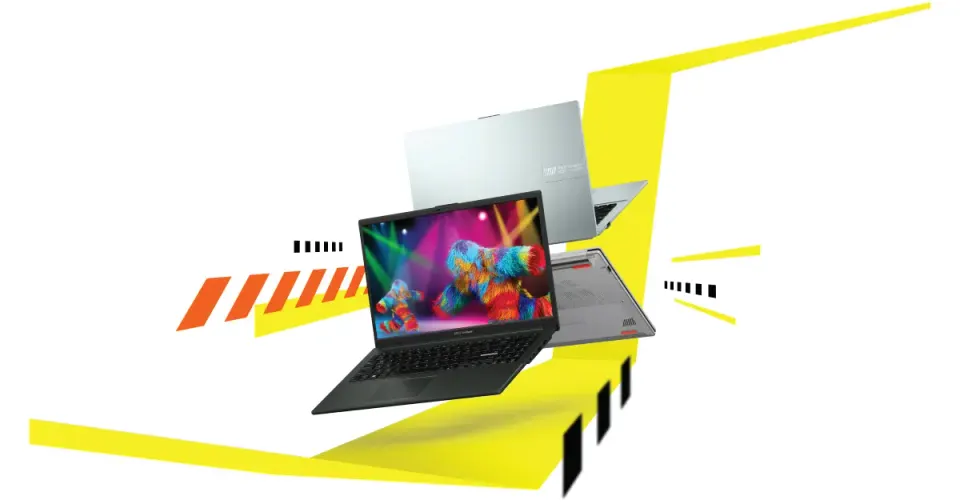
The ASUS Vivobook Go 15 OLED Slim Laptop (AMD Ryzen 5 7520U, 8GB LPDDR5 RAM, 512GB SSD, E1504FA-AS54) appears to be an ideal budget productivity notebook under $500. Boasting an AMD Ryzen 5 7000-series processor, 8GB of fast LPDDR5 RAM, a generous 512GB NVMe SSD, a 180-degree lay-flat hinge, and a lightweight 3.59 lb chassis, it targets students and home office users looking for maximum value.
However, the downside first: non-upgradable soldered RAM, rebadged legacy Zen 2 CPU architecture, a dim 250-nit display, and plastic chassis flex reveal severe long-term compromises.
1. Soldered 8GB RAM (Zero Upgradeability)
The single biggest bottleneck on the ASUS Vivobook Go 15 is memory expansion:
- Permanently Soldered: The 8GB LPDDR5 memory is soldered directly onto the motherboard. There are no SODIMM slots to add an extra stick later.
- Windows 11 Memory Thrashing: Windows 11 uses 5.2GB of RAM at idle. Opening a dozen Chrome tabs alongside Zoom and Word pushes memory usage to 95%, causing the system to rely on slow SSD swap files and stutter during multitasking.
2. Rebadged Zen 2 CPU Architecture (Ryzen 5 7520U)
Despite the deceptive “Ryzen 7000” naming convention, AMD’s 7520U chip is not modern silicon:
- Legacy Zen 2 Cores: The 7520U is built on AMD’s older 2020 Zen 2 architecture (4 cores, 8 threads).
- Weak Radeon 610M iGPU: The integrated graphics engine features only 2 Compute Units, failing at 3D gaming, video editing, or CAD software.
3. Dim 250-Nit Display & Washed-Out Colors
Base configurations of the E1504FA ship with budget display panels:
- Low Brightness: The screen tops out at 250 nits peak brightness, making it difficult to read in brightly lit classrooms or near office windows.
- 45% NTSC Color Gamut: Colors appear washed out and inaccurate for photo editing or Netflix streaming.
4. Keyboard Deck Flex & No Backlighting
To achieve a $479 price point, ASUS used an all-plastic chassis:
- Keyboard Deck Flex: Pressing firmly on the center keys causes the keyboard tray to dip visibly.
- No Backlit Keys: Base E1504FA trims omit keyboard backlighting, making night typing in dim rooms annoying.
5. Summary: Decent Storage, Severely Bottlenecked RAM
If you need a simple $479 laptop exclusively for typing essays, web browsing, and watching movies, the ASUS Vivobook Go 15 offers good storage space and battery charging speeds.
However, if you expect a future-proof laptop that lasts 3 to 5 years without memory stutter, avoid the 8GB soldered configuration and buy a laptop with upgradeable RAM slots like the Lenovo IdeaPad Slim 3 or Acer Aspire 5. Use our soldered RAM decision guide to separate acceptable fixed-memory designs from configurations that remove too much ownership headroom. If you are considering a newer Samsung alternative, compare its similar memory and display trade-offs in our Samsung Galaxy Book6 14 review.
Editorial disclosure: FlawCheck did not physically test this product. This research-based assessment uses published specifications and available independent or attributable owner evidence. Verify current pricing, policies, compatibility, and product revisions before purchase.