Foldable Screen Protector Peeling: Replace It or Remove It?
A peeling foldable screen protector needs more care than ordinary phone film. Learn when to stop folding, seek replacement, or avoid removing it yourself.
Bottom line
Replace a lifting factory protector promptly, but do not remove it yourself until the manufacturer confirms the correct procedure for the exact model and region.
A foldable screen protector lifting at the crease is not the same problem as a cheap protector peeling from an ordinary glass phone. The inner display is softer, the film bends whenever you open the device, and manufacturers do not all give the same advice about removal or replacement.
So, should you peel it off?
Usually, not before checking the instructions for your exact phone. First, limit unnecessary folding, confirm that only the protector is lifting, photograph the problem, and contact the manufacturer or an authorized repair center. Samsung, Motorola, and HONOR all publish cautions concerning factory-installed inner-screen films. The wording varies, but the practical message is similar: treat the film as part of the foldable display system, not as a disposable accessory.
If you also see black spots, colored lines, flickering, dead touch areas, a spreading crack, or a new crunching sound, the problem may extend beyond the protector. Back up your data and arrange an inspection instead of repeatedly opening the phone to test it.
The Short Answer: Replace It, but Do Not Rush to Remove It Yourself
For most owners, professional replacement is the lower-risk choice. Removing a lifting protector may eliminate the bubble, but it can introduce new risks: scratching or denting the exposed inner surface, fitting an incompatible film, applying uneven pressure, or complicating a later warranty assessment.
That does not mean a peeling protector will definitely destroy the display. It means there is no universal DIY answer that is safe for every Galaxy Z Fold, Z Flip, Pixel Fold, Motorola Razr, HONOR Magic V, or other foldable.
Use this rule of thumb:
- Small lift at an outer edge, with no display symptoms: document it and arrange replacement before it spreads.
- Bubble or lift running through the crease: reduce unnecessary folding and seek service promptly.
- Dust or debris under the lifted area: do not press the film down or try to push the debris out.
- Lines, black spots, flicker, failed touch, or visible cracking: treat it as a possible display fault, not merely a protector problem.
- Manufacturer says not to remove the factory film: do not turn the repair into a DIY experiment.
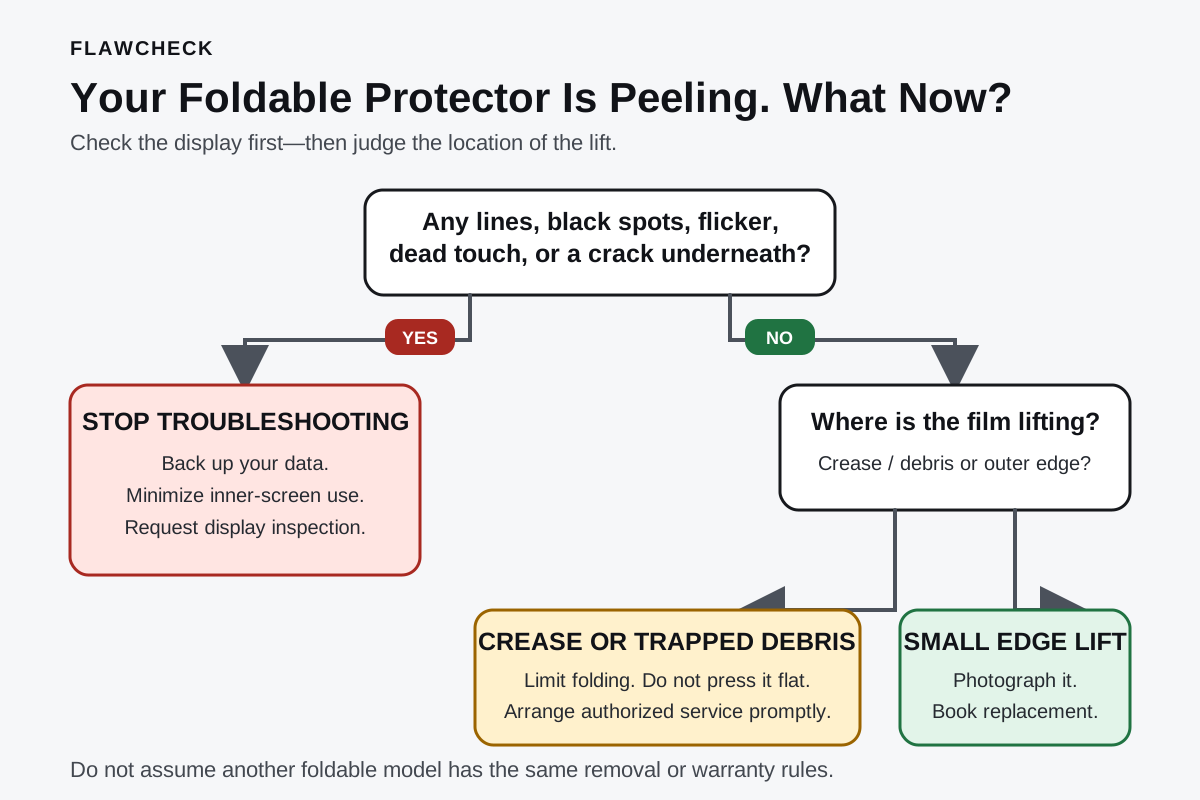
Foldable Protector Decision Map
How to read it: display faults override everything else. Lines, black spots, flicker, dead touch, or a crack beneath the film require display inspection. Otherwise, use the lift’s location and growth to judge replacement urgency.
Why a Foldable Screen Protector Is Different
On a conventional phone, a user-applied protector normally sits on rigid cover glass. If it bubbles, you can often remove it without exposing a flexible display surface.
A foldable’s inner screen is a layered assembly designed to bend. It may combine flexible OLED, ultra-thin glass, polymer layers, adhesive, and a factory-applied film. The exact stack differs by model, but the inner surface is generally more vulnerable to pressure and sharp objects than standard cover glass.
The protector must survive repeated compression and tension around the hinge. That makes the crease the most demanding part of the film. A bubble at the crease is therefore more concerning than a tiny cosmetic lift at a corner: every fold can flex the loose section again.
It is important not to overstate that mechanism. User reports often connect protector lifting with later screen failure, but those reports do not prove that the film caused the damage. The protector and display may both be reacting to age, temperature cycles, impact, contamination, adhesive fatigue, or another underlying problem. The safe conclusion is that crease lifting deserves timely inspection—not that every bubble guarantees a broken screen.
First, Confirm What Is Actually Peeling
Before choosing between replacement and removal, determine whether you are looking at the protector, damage beneath it, or a harmless crease reflection.
Signs that point to the protector
- A clear boundary or air channel appears between the film and screen.
- The lifted area changes slightly when viewed from different angles.
- The defect starts at an edge or one end of the crease and gradually spreads.
- The image beneath the area remains normal.
- Touch input still works consistently.
Signs that may indicate display damage
- A black spot remains visible regardless of the image on screen.
- Green, pink, or white lines cross the display.
- Part of the screen flickers or fails to illuminate.
- Touch stops working in a fixed region.
- A dark line, bright line, or crack appears underneath the film.
- The phone no longer opens normally or the display changes when the hinge moves.
Do not scrape the surface to find the film’s edge or press a fingernail into the crease. If you cannot identify the layer visually, a qualified technician is better positioned to inspect it without turning a minor issue into physical damage.
Peeling, Bubbling, or Cracking: What Should You Do?
| What you see or hear | Urgency | What to do next | What not to do |
|---|---|---|---|
| Minor lift at an outer edge | Moderate | Photograph it, check model-specific guidance, and schedule replacement | Do not keep rubbing the edge to test the adhesive |
| Narrow bubble beginning at the crease | High | Limit unnecessary folding and contact authorized service | Do not repeatedly open and close the phone to watch it move |
| Bubble extending along most of the crease | High | Arrange prompt inspection and back up important data | Do not press the bubble flat |
| Dust or grit under the lifted film | High | Stop manipulating the area and seek service | Do not slide a card, cloth, or tool beneath the film |
| New crackling, popping, or crunching sound | High | Back up the phone and have both film and display inspected | Do not assume it is harmless adhesive noise |
| Black spots, colored lines, flicker, or dead touch | Urgent | Treat it as a potential display failure | Do not attempt protector replacement first |
| Visible crack beneath the protector | Urgent | Minimize use and request a display assessment | Do not peel the film away for a clearer look |
This is a triage guide, not a remote diagnosis. A large bubble may need only a new film, while a small defect could involve damage underneath.
Can a Peeling Protector Damage the Foldable Display?
It is possible for a badly lifted film to become more than a cosmetic annoyance, especially if debris enters the gap or the detached section repeatedly flexes at the crease. But there is not enough universal evidence to claim that peeling always damages the panel.
The more useful question is whether continued use adds avoidable risk. Three conditions justify faster action:
- The lift crosses the crease. This region moves and changes curvature whenever the phone folds.
- Particles are trapped underneath. Pressing or folding against hard debris may concentrate force on the soft inner surface.
- There are additional display symptoms. Lines, dead pixels, flicker, touch failure, or visible cracking suggest the issue is no longer limited to adhesion.
Without these conditions, you may have time to arrange service rather than treating it as an emergency. Photograph the bubble to track whether it spreads, and ask support how to handle the device while waiting.
Should You Remove the Protector and Use the Screen Bare?
Using the inner screen without its factory protector may appear to solve the immediate bubbling, but it shifts the downside to the exposed display.
The bare inner surface can be easier to mark with fingernails, grit, jewelry, or an object caught between the two halves. An aftermarket film can also have the wrong thickness, stiffness, adhesive, or dimensions for the hinge geometry.
There is also a support problem. Warranty and replacement terms vary by manufacturer, model, country, purchase date, and protection plan. It is too broad to say removing a protector always voids the entire warranty. It is equally unsafe to promise that removal can never affect coverage. Before doing anything irreversible, obtain guidance for your device and region—ideally in writing or through a support case number.
If a manufacturer explicitly tells you not to remove the film, the answer is straightforward: use its service route. If the documentation is unclear, contact support rather than copying a removal method from a different foldable generation.
What Samsung, Motorola, HONOR, and Google Say
Manufacturer guidance is not interchangeable. Check the manual or support page for the exact model you own, because policies and service programs change.
Samsung Galaxy Z Fold and Z Flip
Samsung has warned users not to remove the protective film from the main display because doing so may damage the screen. That makes an authorized replacement the defensible first option for a Galaxy Z Fold or Z Flip protector lifting at the crease.
Availability, pricing, eligibility for a complimentary replacement, turnaround time, and warranty treatment can differ by country and device generation. Do not repeat an old forum price or another owner’s free-replacement experience as though it were a current global policy. Ask Samsung to confirm the terms for your serial number and location.
Motorola Razr
Motorola’s Razr guidance warns against removing the pre-installed protector and using third-party screen protectors. For a Razr, DIY replacement can therefore conflict with the manufacturer’s general care guidance. Contact Motorola or an authorized service location before the lifted section becomes larger.
HONOR Magic V series
HONOR tells foldable owners not to peel the engineered inner protective layer or add another layer over it. Its care guidance directs users to an authorized service center when the film needs replacement. This also rules out a tempting but poor workaround: placing a new protector on top of the peeling one.
Google Pixel Fold models
Public guidance and service options may be less obvious for Pixel Fold protector problems. Do not assume Samsung’s replacement program or Motorola’s exact restriction applies to a Pixel. Check Google’s current support channel for your model and market, describe whether the lift is at the edge or crease, and ask whether the device requires inspection or complete unit service.
Authorized Replacement vs DIY Film
| Option | Main advantage | Main downside | Best suited for |
|---|---|---|---|
| Manufacturer or authorized service | Model-specific film, controlled application, service record | May require travel, booking, or waiting | Most owners, especially while coverage may apply |
| Independent repair shop | Potentially faster or more accessible | Part quality and foldable experience vary | Out-of-coverage devices after checking shop expertise |
| DIY replacement | Lower upfront cost and no appointment | Installation pressure, alignment, compatibility, dust, and support risks | Only where the manufacturer permits it and the owner accepts the risk |
| Remove and leave bare | Eliminates the lifted film immediately | Exposes a delicate inner surface and may affect later service decisions | Not a default recommendation |
For an independent shop, ask what film it uses, whether it has replaced the same model before, and what happens if the display is damaged during installation.
Timeline: What to Do in the First 24 Hours
| When | Action | Goal |
|---|---|---|
| First 5 minutes | Stop pressing the film and avoid unnecessary folding | Prevent extra pressure or contamination |
| Within 30 minutes | Photograph the full display and the lifted area; test image and touch once | Record the condition without repeated hinge testing |
| Within 2 hours | Back up important data, especially if any display symptom is present | Avoid a damaged screen blocking later access |
| Same day | Find the model number, receipt, warranty, and protection-plan details | Prepare an accurate service request |
| Within 24 hours | Contact the manufacturer or an authorized center | Confirm use, storage, replacement, and coverage instructions |
| Before service | Take final photos, remove accessories, and enable repair mode if available | Protect data and document the handoff |
Describe the condition precisely: “the factory-installed protector is lifting along the center crease, with no black spots or touch failure.” Confirm continued use, storage position, and whether removal affects repair eligibility.
Can You Keep Using the Phone While Waiting?
If the lift is small, the display and touch layer work normally, and the manufacturer says continued use is acceptable, limited use may be reasonable. The safer behavior is still to minimize folding and keep the inner screen free from dust and pressure.
Stop using the inner display and escalate the repair if:
- The bubble grows quickly.
- A new line or black spot appears.
- Touch becomes unreliable.
- Hinge movement changes.
- The phone produces a new crunching or sharp popping sound.
- The protector catches or visibly deforms when folding.
There is no universal rule that every affected foldable should be stored open or closed. Hinge designs differ, and transporting an open foldable exposes a larger fragile surface. Ask the service provider for model-specific instructions.
How to Reduce the Chance of Peeling Again
No care routine can guarantee that a protector will never lift, but you can avoid adding unnecessary stress:
- Keep sand, crumbs, and hard particles away from the inner display.
- Do not press the crease to demonstrate how it feels.
- Avoid closing the phone with an object between its two halves.
- Do not apply a second protector over the factory film.
- Use cleaning materials and liquids approved by the manufacturer.
- Avoid leaving the phone in unusually hot or cold environments.
- Open and close it normally rather than snapping or twisting the hinge.
- Use a service provider familiar with the exact model for replacement.
Protector replacement is part of the ownership cost buyers often overlook. Compare service access, protection-plan terms, inner-display repair prices, and downtime—not just launch price. Our five-year foldable durability and repair-cost guide explains the longer-term calculation.
First-generation foldables deserve extra caution because service networks, part supply, and repair procedures may still be developing. Owners considering a new design should also read Foldable iPhone First-Generation Risks and our analysis of iPhone Duo foldable display risks.
The FlawCheck Verdict
A peeling foldable screen protector should usually be replaced, not ignored—but that does not mean you should remove it yourself.
Waiting may let the lifted area spread or collect debris. Immediate DIY removal may expose a delicate surface, introduce an incompatible replacement, or complicate service.
The lowest-regret sequence is:
- Document the peeling.
- Check for display symptoms.
- Limit unnecessary folding.
- Back up important data.
- Follow the current instructions for your exact model and region.
- Prefer authorized replacement when the manufacturer warns against removal.
Do not let a dramatic-looking bubble push you into an irreversible repair attempt. But do not treat a growing crease lift as a cosmetic issue for the next six months either.
Sources and Further Reading
Frequently Asked Questions
Direct answers to common buyer concerns and uncertainties.
Can I use a foldable phone after the screen protector starts peeling?
Possibly, if the lift is minor and there are no display or touch symptoms. Photograph it, minimize unnecessary folding, and ask the manufacturer about use while awaiting service. Stop if the bubble grows or display symptoms appear.
Is a bubble at the foldable screen crease dangerous?
It deserves more attention than an edge bubble because the crease flexes whenever the phone moves. It does not prove panel damage, but it justifies prompt inspection.
Can I remove the inner screen protector myself?
Do not assume that you can. Several manufacturers publish warnings or restrictions concerning factory-installed inner films. Check the current instructions for your exact model and region.
Can I install a third-party protector on a foldable screen?
Only if the manufacturer permits it and the film is designed for your exact model. Motorola advises against third-party Razr protectors, while HONOR warns against adding another layer over its inner film.
Does removing the protector void the warranty?
There is no universal answer. Coverage depends on the manufacturer, model, market, plan, and whether removal caused damage. Ask support first and keep its response.
Why does my foldable make a crackling sound when opened?
Sound alone cannot identify whether the cause is the protector, debris, hinge, or another component. If it is new or accompanied by a display defect, stop testing the hinge and arrange inspection.
Should I keep the phone folded or unfolded while waiting for repair?
There is no reliable position that applies to every foldable. Keeping it open reduces additional fold cycles but exposes more of the delicate inner screen; keeping it closed protects that surface but bends the crease. Ask the manufacturer or repair center for instructions for your model and transport situation.
How much does foldable screen protector replacement cost?
The price varies by model, country, warranty status, protection plan, and service provider. Some owners may qualify for a promotional or complimentary replacement, while others may pay for the film and labor. Confirm the current price directly rather than relying on an old forum post from another market.

Written by FlawCheck Editorial Desk
Editorial ResearchFlawCheck's editorial desk is responsible for source review, claim labeling, buyer-risk analysis, publication updates, and corrections. Current articles are research-based unless a documented hands-on method is explicitly provided.
Reviews behind this guide
View All Reviews →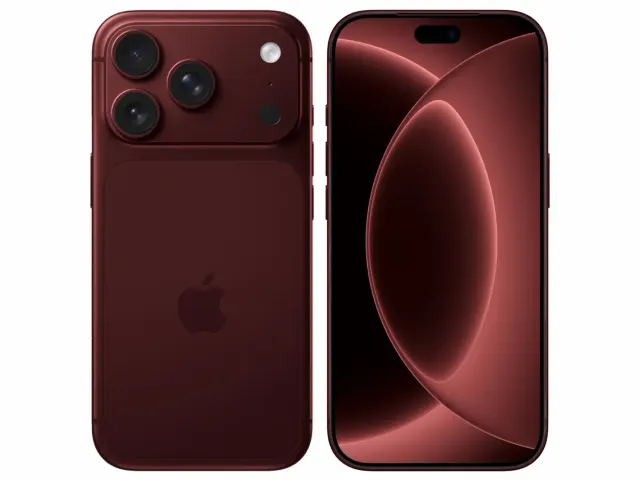
Apple iPhone 18 Pro
"The iPhone 18 Pro is now a confirmed $1,199 flagship with meaningful hardware changes, but launch specifications do not prove that those changes improve ownership enough to justify upgrading. Wait for independent battery, thermal, camera and C2 modem testing if your current phone still works well."
"Starts at $1,199 in the US"
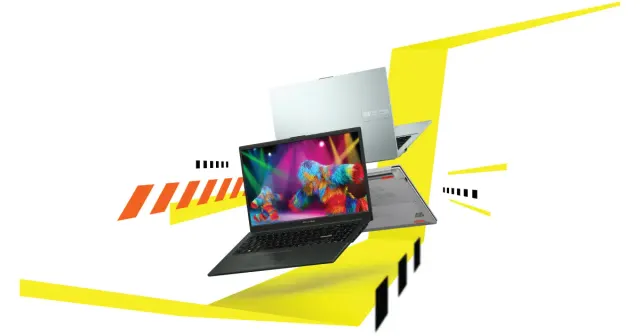
ASUS Vivobook Go 15 OLED Slim Laptop
"A budget-friendly 15.6-inch laptop crippled by non-expandable 8GB soldered memory, an outdated Zen 2 CPU architecture, dim 250-nit screen, and plastic chassis flex."
"8GB LPDDR5 RAM is permanently soldered to the motherboard (Zero upgrade slots)"
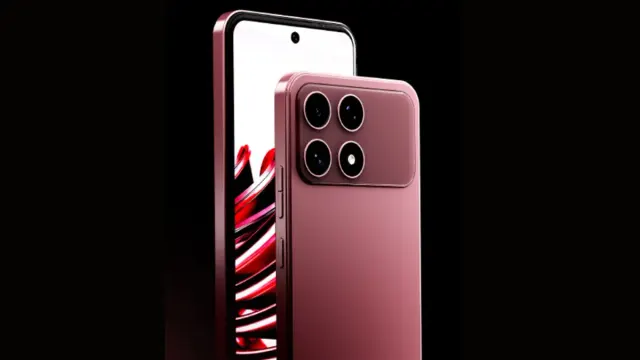
Boltt Ace 5G
"The Ace 5G offers a large battery, NFC and a clear update promise for its price, but the coarse display, 18W charging, heavy chassis and Boltt's unproven delivery record make waiting for independent tests the safer choice."
"6.79-inch display is only HD+"