
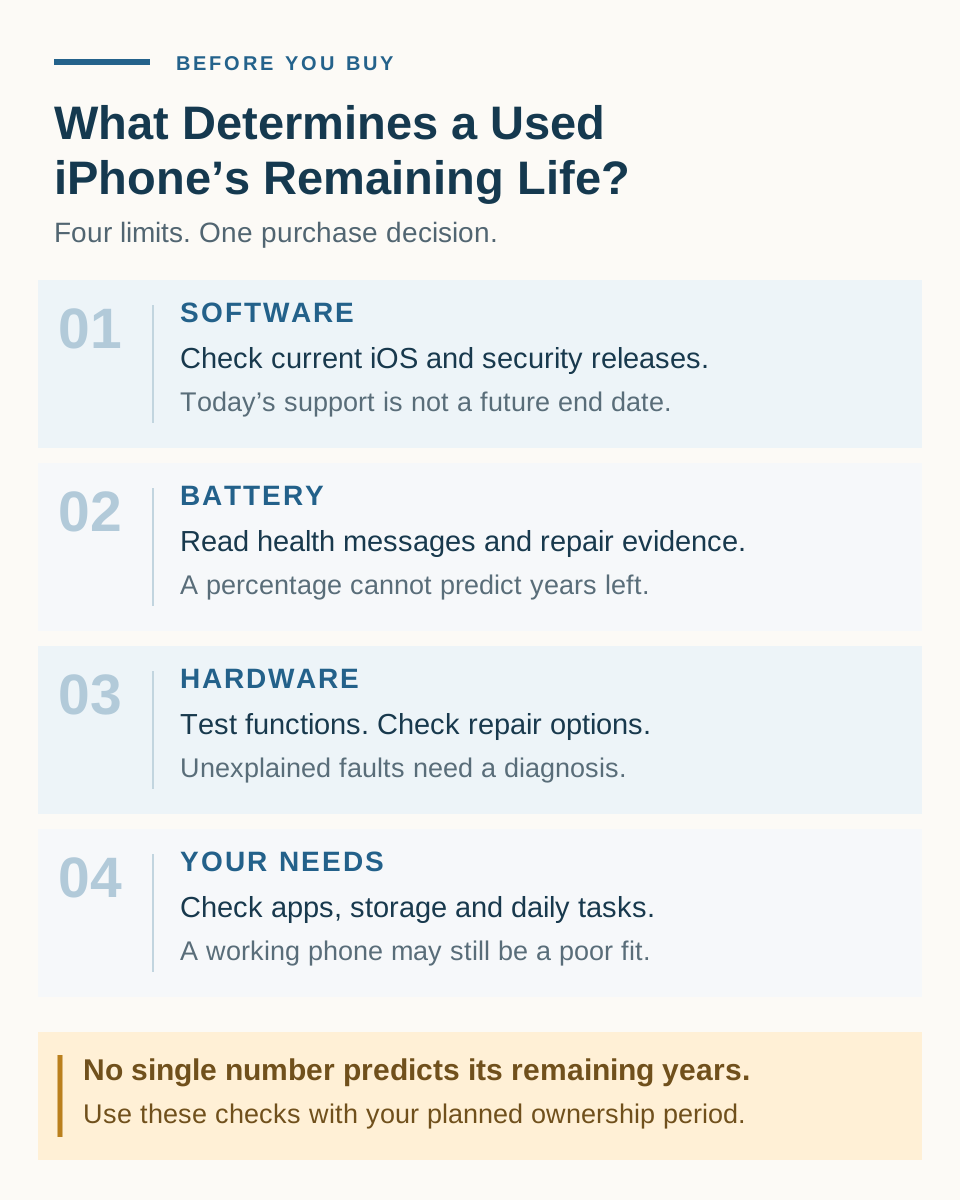
A used iPhone can remain useful for years, but there is no reliable way to promise how many years a particular phone has left. Before buying, check four things: its current software support, battery condition, hardware and repair history, and whether it meets your needs.
If you want to keep it for another two or three years, look beyond its launch date and Battery Health percentage. Find out what works today, what may need service, and whether the price still makes sense if your plans change.
Our buying approach: consider a used iPhone when essential checks pass, its condition is understood, and the total cost fits your intended use. Budget for a known repair; pause over an unexplained fault.
This is a research-based buying guide, not a device durability test. Buying recommendations are editorial judgments. All dollar examples below are hypothetical, not current listings or repair quotes.
How Long Can You Expect a Used iPhone to Last?
Separate the model’s age from the individual phone’s history and the time you want to own it.
The model tells you which hardware and software features it supports. The individual phone may have a worn battery, a documented repair, or damage that another example of the same model does not have. Your plans determine whether those limits matter: a temporary phone for messaging and calls is a different purchase from a main phone you want to keep through several years of work and travel.
A phone can still turn on while becoming unsuitable for you. Frequent charging, an essential app it cannot run, or a repair you cannot justify can end its useful life in your routine.
What limits a used iPhone’s remaining life?
| Factor | What to check | Why it matters | Can you address it? |
|---|---|---|---|
| 01Software and security | Current iOS eligibility and dated, device-specific security releases | Shows current support, not a guaranteed final update date | Install available updates; repairs do not change model eligibility |
| 02Battery | Health messages, capacity, and reliable replacement history | Charging needs or battery-related symptoms may limit use | Battery service may help; obtain a local quote |
| 03Hardware and repairs | Essential functions, disclosed faults, and local service options | An unresolved fault can undermine the saving | Establish the diagnosis and repair scope first |
| 04Your needs | Must-have apps, storage, features, and daily tasks | A working phone may still be a poor fit | Choose suitable capacity and capabilities |
What limits a used iPhone’s remaining life?
01Software and security
- What to check
- Current iOS eligibility and dated, device-specific security releases
- Why it matters
- Shows current support, not a guaranteed final update date
- Can you address it?
- Install available updates; repairs do not change model eligibility
02Battery
- What to check
- Health messages, capacity, and reliable replacement history
- Why it matters
- Charging needs or battery-related symptoms may limit use
- Can you address it?
- Battery service may help; obtain a local quote
03Hardware and repairs
- What to check
- Essential functions, disclosed faults, and local service options
- Why it matters
- An unresolved fault can undermine the saving
- Can you address it?
- Establish the diagnosis and repair scope first
04Your needs
- What to check
- Must-have apps, storage, features, and daily tasks
- Why it matters
- A working phone may still be a poor fit
- Can you address it?
- Choose suitable capacity and capabilities
Editorial screening framework; assess the exact model and individual unit.
This is an editorial screening framework informed by Apple’s preowned inspection guidance, battery guidance, and support records. It cannot certify a phone’s future durability.
Avoid a lifespan shortcut. Current software eligibility and a reassuring battery reading cannot establish a fixed number of years left.
Do not subtract its age from an assumed “average iPhone lifespan.” That calculation ignores the condition of the unit you are buying and treats uncertain future support as a fixed allowance.
Check the Model’s Software Support Before You Buy
Ask three separate questions:
- Can this exact model run the current major version of iOS?
- What security updates has Apple released for its available iOS branch?
- Can it install or update the apps you need?
Use Apple’s current iOS compatibility list for the first question and its security releases page for the second. Check the device list and release date, rather than relying on a seller saying “fully updated.”
As checked on October 12, 2026, Apple lists iOS 27 compatibility for the iPhone 11 family and iPhone SE second generation and later, among other models. Separately, its release record lists iOS 18.7.10 for the iPhone XS, XS Max, and XR on August 17, 2026. These are dated observations, not forecasts of their final updates.
Losing eligibility for a new major iOS version does not necessarily mean patches stop immediately. However, an older-branch patch does not promise future releases or establish equivalent security coverage. Current compatibility also does not tell you the last year a model will receive updates.
For apps, check the current requirements of the ones you rely on. A seller’s installed copy is insufficient evidence that you can download, sign in to, or update it yourself. Test your essential workflow where practical.
Our recommendation: for a main phone intended for several years, favour a suitable model that runs the current major iOS over one whose case depends on uncertain future patches. Check the price and condition alongside that preference; do not turn it into a guaranteed number of years.
Battery Health Matters—but It Does Not Tell the Whole Story
Battery Health is information about one component. Apple’s battery and performance explanation distinguishes capacity from the battery’s ability to deliver peak power. Ageing can affect both.
A capacity percentage does not establish whole-phone condition or a replacement date. An 85% reading cannot reliably be translated into “one year left,” and 100% does not certify that every other component is like new.
Read the messages as well as the number. Apple says battery-health information might be inaccurate when a battery is unverified. Ask about the replacement and check the available records.
On iPhone 15 and later with iOS 17.4 or later, Battery Health also provides cycle count, manufacture date, and first-use information. Those dates concern the battery; they are not a complete history of the handset.
For the buying decision, ask whether the phone fits your charging routine and whether a possible service cost is affordable. A brief demonstration cannot establish full-day endurance under your workload.
For percentage comparisons, use our used iPhone Battery Health guide. Here, the important question is whether battery condition limits your ownership plan.
Repair History and Hardware Problems Can Shorten Its Useful Life
A disclosed, well-documented repair can be useful context. It tells you what was addressed and gives you something to verify. An unexplained symptom leaves a different problem: you do not yet know what must be fixed.
Apple’s Parts and Service History appears on supported models with iOS 15.2 or later, with information varying by model and component. It is not a complete lifetime repair log; if a part has been serviced repeatedly, only its latest service appears.
Interpret labels carefully. “Unknown” has several possible causes, including a nongenuine, malfunctioning, or unverified part. It does not automatically mean counterfeit. “Used” indicates a part previously used in another iPhone. Neither a missing section nor a label alone replaces functional testing.
Hypothetical case: a spotless phone with unclear history. A seller offers a clean-looking phone for $320 but cannot explain a repair label or recurring symptom. There is no credible diagnosis. Pause for evidence and testing. Do not enter $0 for repairs simply because nobody has established the cost.
Check service feasibility too. Apple’s hardware service policy uses the date it last distributed a product for sale, with regional and parts-availability conditions. That is separate from iOS support and from when you buy it used.
A brief inspection can expose a fault without identifying its cause. If an essential problem remains unexplained, our recommendation is to choose another offer rather than budget for a guessed fix.
Will It Still Meet Your Needs in Two or Three Years?
Start with the tasks you cannot compromise on: your work apps, calls, navigation, photos, games, or time away from a charger. Check them against the exact model and storage capacity.
Allow for how you expect to use it. Someone planning to record more video should consider storage headroom. Someone relying on a work app should check its requirements now and accept that future requirements remain outside the seller’s control.
These are planning judgments, not durability measurements.
Buying for another 1, 2, or 3+ years
The years below describe your goal, not a predicted remaining lifespan. Essential ownership, network, condition, and app checks apply throughout.
| Your plan | What to establish before buying | Risk to allow for |
|---|---|---|
| 01Around 1 year | It meets current needs; essential checks pass; known service costs fit | A short plan still allows early faults or software changes |
| 02Around 2 years | Check software status and repair options; compare costs with a battery-service scenario | Service may be needed earlier than you hoped |
| 033+ years | Choose adequate storage and features; compare a suitable, more recent model; leave room for service | Future updates, app requirements, and repairs remain uncertain |
Buying for another 1, 2, or 3+ years
01Around 1 year
- What to establish before buying
- It meets current needs; essential checks pass; known service costs fit
- Risk to allow for
- A short plan still allows early faults or software changes
02Around 2 years
- What to establish before buying
- Check software status and repair options; compare costs with a battery-service scenario
- Risk to allow for
- Service may be needed earlier than you hoped
033+ years
- What to establish before buying
- Choose adequate storage and features; compare a suitable, more recent model; leave room for service
- Risk to allow for
- Future updates, app requirements, and repairs remain uncertain
Years describe your ownership goal, not predicted remaining lifespan.
For a short ownership plan, an older model may be worth considering when its current capabilities, condition, and price fit. For two years, examine how much the saving depends on avoiding service. For three or more years, consider whether paying more for a suitable newer model leaves you with an affordable repair contingency.
That longer plan does not justify overlooking a damaged newer phone. Compare individual offers, not just generations. If your choice is a larger older model or a smaller new one, our used iPhone Pro Max vs new base iPhone comparison examines the features and condition trade-offs.
Do refurbished iPhones last longer than used ones?
The label alone cannot answer that. Ask what was inspected, repaired, or replaced and what the actual return and warranty terms cover. A documented battery replacement addresses that component; it does not restart the model’s software history.
Our new vs used vs renewed iPhone guide covers the wider purchase-route choice.
Can a Battery Replacement Make an Older iPhone Worth Buying?
Yes, when the battery is the limitation and the rest of the purchase makes sense. Apple explains that replacement can help when an aged battery is affecting performance. It does not mean every slowdown or fault will be solved by a new battery.
Compare two hypothetical offers:
- Newer model, worn battery: $360 to buy plus an assumed $100 battery service. Essential checks pass and its capabilities fit. The selected scenario costs $460.
- Older model, documented replacement battery: $260 to buy, with no immediate repair spending assumed. Its apps, software status, and other functions still need to fit the buyer.
The older offer may suit someone with a shorter plan and modest needs. The newer offer may justify its premium for capabilities the buyer values. Neither example establishes which will survive longer.
“No immediate repair assumed” also means exactly that: it is a calculation input, not a promise of repair-free ownership.
If you already own the phone, our replace the battery or buy a new phone guide covers the wider repair-versus-upgrade decision.
For a real offer, obtain a quote for the exact model and location, including mandatory charges and the repair scope. Compare its service-inclusive cost with a suitable phone ready to use. Consider the inconvenience of arranging service as well.
A new battery cannot add missing storage, provide unsupported features, or extend the model’s software eligibility.
When a Cheap Used iPhone Becomes Poor Value
A low purchase price loses its appeal if the phone needs expensive work or already fails a must-have requirement.
Hypothetical case: a $180 phone needing a $180 screen repair. Its storage is also unsuitable for the buyer. The repair-inclusive total is $360, but fixing the screen does not resolve the storage mismatch. Our verdict is to reject this offer for that use case.
For suitable offers, compare costs under more than one duration:
Cost per year in a scenario = (all-in purchase + repair spending − assumed resale proceeds) / years used or assumed.
Using the $360 phone plus $100 battery-service example, and assuming no resale:
| If used for | Total spending assumed | Cost per year |
|---|---|---|
| 011 year | $460 | $460.00 |
| 022 years | $460 | $230.00 |
| 033 years | $460 | $153.33 |
| 044 years | $460 | $115.00 |
Illustrative annualized cost, with zero resale value
011 year
- Total spending assumed
- $460
- Cost per year
- $460.00
022 years
- Total spending assumed
- $460
- Cost per year
- $230.00
033 years
- Total spending assumed
- $460
- Cost per year
- $153.33
044 years
- Total spending assumed
- $460
- Cost per year
- $115.00
All amounts are hypothetical USD examples; duration is assumed. No actual price or durability test.
These are hypothetical costs. The table does not establish that the phone will remain usable for any listed period.
If you assumed $60 resale proceeds after three years, the figure would become $133.33 per year. That $60 is an illustrative assumption, not a valuation. The cash needed for purchase and the selected repair remains $460 before any later sale.
Do not rely on the longest duration to make the offer look attractive. Try an early-end scenario. Keep any unknown repair cost unresolved, and distinguish money reserved for possible repairs from money actually spent. Count the same repair only once.
This simple comparison excludes downtime, financing costs, and faults outside the scenario. Suitability and purchase terms still matter even when the annual figure looks good.
What to Check Before You Pay
Keep the final decision focused:
- Confirm the exact model, storage, and current software status.
- Check your essential apps and practical use.
- Review battery messages and disclosed repair work.
- Test essential functions; obtain a diagnosis for unresolved faults.
- Compare the all-in price with known service costs and actual seller terms.
- Complete the ownership and network checks before an in-person payment.
Apple advises against buying with Activation Lock unresolved. For the detailed setup, carrier, hardware, and online-delivery process, follow our used iPhone buying checklist.
Buy, budget for repairs, or walk away?
| What you find | Cost or risk | Our decision |
|---|---|---|
| 01Current needs, inspection, and terms fit | Future wear remains uncertain | Consider buying at a suitable total price |
| 02An understood battery-service need; other checks pass | Service cost and inconvenience | Budget for service, then compare alternatives |
| 03Documented repair; functions check out | Records do not certify every component | Assess it alongside software and condition |
| 04Unexplained fault or inconsistent repair history | Scope and cost are unknown | Pause; walk away if essential uncertainty remains |
| 05Insufficient storage or an essential app cannot run | A battery repair cannot fix the mismatch | Choose a suitable alternative |
| 06Unresolved Activation Lock | You cannot complete normal ownership setup | Do not buy while unresolved |
Buy, budget for repairs, or walk away?
01Current needs, inspection, and terms fit
- Cost or risk
- Future wear remains uncertain
- Our decision
- Consider buying at a suitable total price
02An understood battery-service need; other checks pass
- Cost or risk
- Service cost and inconvenience
- Our decision
- Budget for service, then compare alternatives
03Documented repair; functions check out
- Cost or risk
- Records do not certify every component
- Our decision
- Assess it alongside software and condition
04Unexplained fault or inconsistent repair history
- Cost or risk
- Scope and cost are unknown
- Our decision
- Pause; walk away if essential uncertainty remains
05Insufficient storage or an essential app cannot run
- Cost or risk
- A battery repair cannot fix the mismatch
- Our decision
- Choose a suitable alternative
06Unresolved Activation Lock
- Cost or risk
- You cannot complete normal ownership setup
- Our decision
- Do not buy while unresolved
Our editorial decisions apply after essential eligibility checks.
Verdict: buy around the time you want to keep the phone and the needs it must meet. A short plan can make an inspected older model worthwhile; a longer plan warrants closer attention to software status, capacity, and affordable service. An unexplained fault is a reason to pause at any age.
