How to Choose a Samsung Galaxy Phone Without Overpaying: 2026 Buying Guide
A downside-first guide to choosing a Samsung Galaxy phone by price, size, camera, storage, support and total ownership cost—without paying for features you will not use.
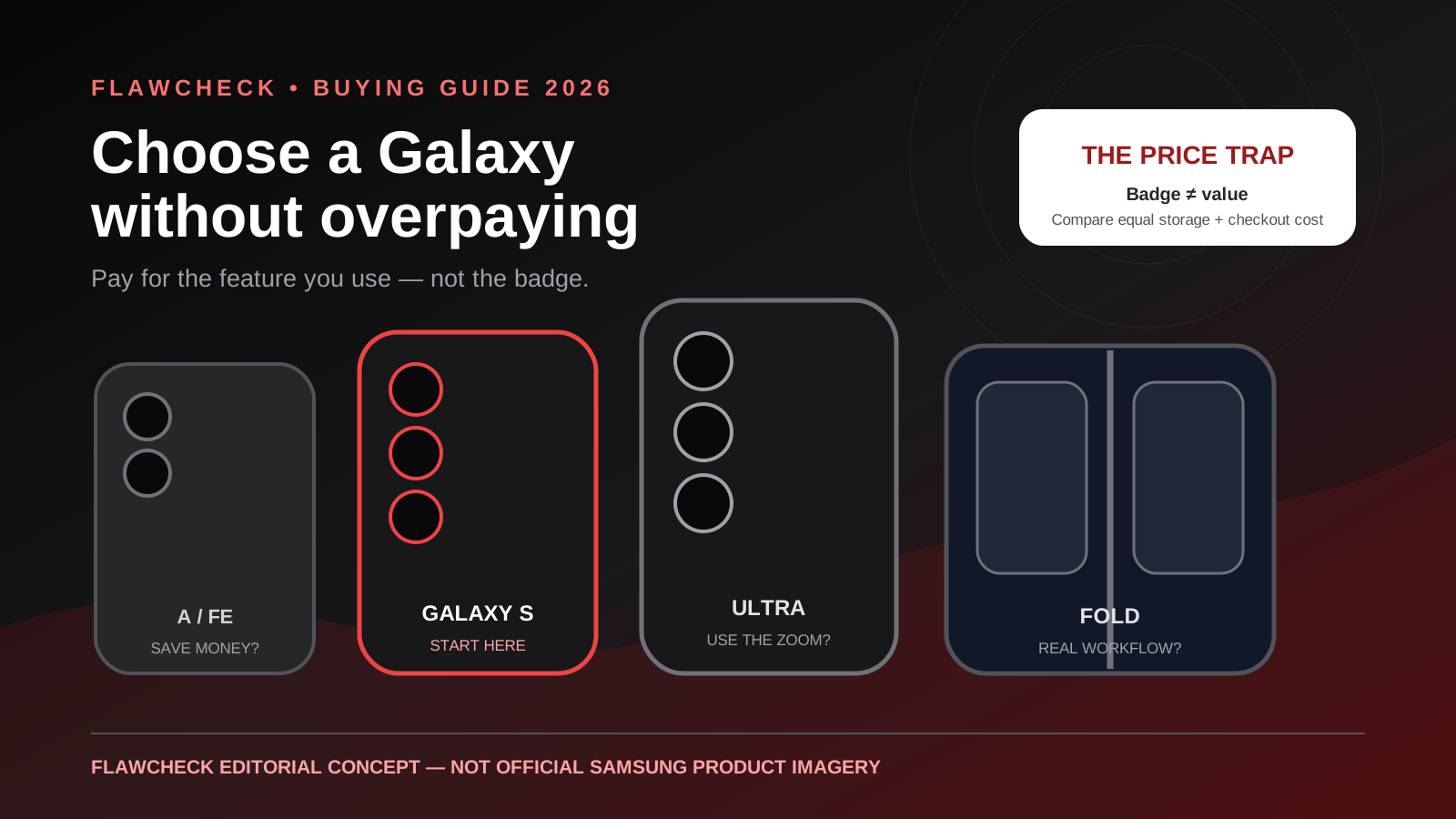
Decision in 30 seconds
What matters most
- ✓ Start with the regular Galaxy S model as the reference point; move down to FE or A only when the savings remain meaningful after matching storage.
- ✓ Do not buy an Ultra merely for the word flagship. Its camera reach and large display are valuable only if they solve a recurring need.
- ✓ A discounted previous-generation Galaxy can beat a new FE, but remaining software support starts from the model's original launch—not your purchase date.
- ✓ Choose storage for the next four or five years. Samsung flagships do not offer microSD expansion, and low storage can create recurring cloud costs.
- ✓ Treat maximum trade-in credit as conditional, not guaranteed. Compare the actual checkout total, return conditions and carrier obligations.
- ✓ Seven years of updates do not make batteries, displays or charging ports inexpensive to repair.
How we selected
- Final unlocked checkout price at the same storage capacity, excluding uncertain maximum trade-in claims
- Comfort in one hand and pocket after adding the case you will actually use
- Camera features used weekly, not impressive specifications used twice
- Memory and storage headroom for the intended ownership period
- Remaining operating-system and security-support runway from original launch
- Local warranty, battery replacement, display repair and trade-in conditions
- Total ownership cost including case, charger, cloud storage, insurance and likely repairs
Recommendations and compromises
Best for: Most buyers who want flagship performance, long support and a manageable size without paying for Ultra hardware
Avoid if: You need the largest battery and display, extreme telephoto reach or a foldable workspace
Official specifications are available, but independent regional retail-unit evidence is not yet sufficient for an approved FlawCheck score.
Best for: Buyers who want a large Samsung screen and long support when the equal-storage price is clearly below the regular S26
Avoid if: Its checkout price is within roughly $100 of the Galaxy S26 or you want compact dimensions and more memory headroom
Pick #3
Galaxy S26 Ultra
A specialist tool disguised as the default best Samsung
Best for: Frequent telephoto photography, pen input and buyers who knowingly want the largest premium Galaxy
Avoid if: You mainly take ordinary 1x photos, dislike heavy phones or would worry about an expensive display repair
Pick #4
Galaxy Z Fold7
Buy for the folding workspace—not because it is Samsung's most expensive phone
Best for: People who repeatedly use split-screen work, reading, spreadsheets or editing on the inner display
Avoid if: You need conventional durability, low repair risk, long battery endurance or the best camera value
Pick #5
Discounted previous-generation Galaxy
Often the best deal, but only after subtracting elapsed support and adding condition risk
Best for: Value buyers who verify remaining support, warranty, battery condition and storage before purchase
Avoid if: The discount is small or the device is imported, carrier-locked, refurbished without disclosure or near the end of support
Bottom line
For most buyers, the best-value Samsung is neither the cheapest Galaxy A nor the most expensive Ultra. Start with the regular Galaxy S model, compare the FE only after matching storage and checkout price, and buy an Ultra or foldable only when one specific capability justifies its added cost, size and repair risk.
Samsung makes buying a phone look easier than it is. The names create a tidy staircase: Galaxy A for value, FE for “flagship essentials,” S for premium, Ultra for the best, and Z for the future. The dangerous assumption is that moving one step higher always buys proportionally more useful phone.
It does not.
A buyer can spend hundreds more for a telephoto camera used twice, accept a much heavier device for a larger battery, or choose a Fan Edition whose sale price sits too close to the regular Galaxy S model. A cheap 128GB configuration can later create years of cloud-storage payments. A generous trade-in banner can hide eligibility rules, carrier commitments or a price that is less attractive than an unlocked discount.
This guide uses a downside-first method. It does not ask which Samsung has the longest feature list. It asks:
Which Galaxy gives you the capabilities you will actually use, with the fewest expensive compromises over the years you plan to keep it?
The short answer
Start with the regular Galaxy S26 as your reference. It is the middle of Samsung’s premium range, but it is the sensible baseline for most buyers: flagship performance, a versatile camera system, long software support and a body that is easier to live with than an Ultra or Fold.
Move to the Galaxy S26 FE only if the same-storage checkout price is clearly lower. Our Galaxy S26 FE vs Galaxy S26 comparison found that the FE’s larger screen does not automatically compensate for its weaker memory headroom, less adaptive display and bulkier body. The badge says value; only the final price can prove it.
Move to an A-series Galaxy when budget is the hard limit and your work is mostly messaging, browsing, navigation, video and casual photography. Move to an Ultra for a specific repeatable need—long-range photography, the largest display or pen input. Move to a Fold only if the inner screen will replace another device or materially change how you work.
If you cannot name the feature that requires the upgrade, keep the money.
The Samsung Galaxy ladder—and its hidden compromises
| Galaxy family | What you are mainly paying for | The downside to check first | Best fit |
|---|---|---|---|
| Galaxy A | Lower purchase price and mainstream basics | Slower performance, simpler cameras, materials and model-specific support | Budget buyers with light-to-moderate use |
| Galaxy FE | Large display and selected flagship features below S pricing | Can be too close to a discounted S model; compromises vary by generation | Buyers who verify a substantial real discount |
| Galaxy S | Flagship performance, cameras and support in a conventional phone | Premium price and sealed repair design | The safest starting point for most buyers |
| Galaxy S+ | More display and usually more battery | Similar experience in a larger, more expensive body | People who want size without Ultra features |
| Galaxy S Ultra | Camera reach, largest display and specialist features | Weight, price, repair cost and features many buyers rarely use | Camera and pen power users |
| Galaxy Z Flip | Compact folded shape and style | Crease, smaller battery compromises and more complex repair | Buyers who value pocketability over maximum endurance |
| Galaxy Z Fold | Tablet-like inner display and multitasking | Very high price, hinge/display risk and expensive ownership | People with a real folding-screen workflow |
The table is a map, not a ranking. A Galaxy A can be the correct purchase and an Ultra can be wasteful. “Best” only has meaning after the use case, final price and ownership period are defined.
Price trap 1: FE does not automatically mean value
Fan Edition phones occupy the most confusing part of Samsung’s range. They borrow the Galaxy S identity while changing the processor, memory, display behavior, camera hardware, materials or size. The exact compromise changes by generation, which makes the name less informative than buyers expect.
The Galaxy S26 FE starts at $699.99 in the United States, according to Samsung’s launch information. Samsung’s Galaxy S26 family is positioned above it, but promotions can narrow the real difference. A discounted regular S phone may cost only modestly more while providing a more compact body, more memory headroom or better display and camera hardware.
Use an equal-storage comparison:
Regular Galaxy S checkout price − FE checkout price = real FE saving
Then apply a practical threshold:
- Less than about $100 saved: inspect the regular S model carefully; it may be the better long-term purchase.
- About $100–$150 saved: the FE becomes credible if its size and specific compromises suit you.
- More than $150 saved: the FE is usually the stronger value unless you need a feature it removes.
- Comparing FE with Galaxy A: our Galaxy S26 FE vs Galaxy A57 value test shows when telephoto, performance and wireless charging are—and are not—worth a $150 premium.
- Already own last year’s FE: an annual upgrade is rarely defensible. Our Galaxy S26 FE vs S25 FE analysis explains why a newer processor and one extra remaining support year do not justify replacing otherwise similar hardware.
Do not compare a 128GB FE with a 256GB S model and call the full price difference a saving. Do not include a maximum trade-in value until your exact device and condition are accepted.
Price trap 2: Ultra is a specialist phone, not the default winner
Samsung markets the Ultra as the peak of the range. That does not make it the rational choice for every premium buyer.
An Ultra earns its cost when you regularly use long telephoto reach, the largest canvas, pen input or high-end video features. Those advantages are real. The hidden bill is equally real: a larger purchase price, a heavier phone, a bigger surface to drop, more expensive protection and potentially more painful repair costs.
Before buying, examine your last 100 photos. How many used meaningful zoom rather than the main camera? How often do you edit on the phone? Will you carry the pen and use it weekly? Does the large body already feel tiring in a store before a case is fitted?
If most of your use is messaging, maps, social media, family photos at 1x and streaming, the regular S model can deliver the same class of everyday experience with less physical and financial burden.
The correct reason to buy Ultra is not “I want the best.” It is “I repeatedly need this exact capability.”
Price trap 3: foldables add a new failure category
The Galaxy Z Fold7 offers an 8-inch main screen, a 6.5-inch cover screen and a layout designed for multitasking. Samsung lists it from $1,999.99 before trade-in in the United States. That price buys a workspace a normal phone cannot reproduce.
It also buys more complexity.
A foldable has a hinge, a flexible inner display, a crease and more demanding repair economics. It is still a phone exposed to pockets, dust, drops and daily opening cycles. Buyers should check insurance, inner-screen coverage, service availability and replacement pricing before being seduced by a demonstration unit.
Buy a Fold if it regularly replaces a tablet, lets you work with two apps at once, or improves reading, spreadsheets and editing enough to justify the risk. Do not buy it because the price suggests it must be Samsung’s best camera or best value.
A Flip has the opposite appeal: it becomes smaller in the pocket. The trade is normally less room for battery and another mechanically complex display. Pocketability is a legitimate benefit, but it must be valuable every day.
Choose size before specifications
Phone width and weight affect every interaction. A device that wins a comparison table can still be the wrong phone when it strains your hand, pulls at a pocket or requires two hands for basic navigation.
Test size with four rules:
- Put a case on the store unit mentally—or, better, hold a similar cased model.
- Reach the top-left and top-right corners without changing grip.
- Type for several minutes, not several seconds.
- Hold it in reading position long enough to notice wrist fatigue.
Choose the regular S model when one-handed comfort matters. Choose S+ or FE when a larger display and battery are worth the added width. Choose Ultra only after accepting its full cased weight. A large phone kept for five years is thousands of hours of ergonomics, not a five-minute showroom decision.
If no current Galaxy fits comfortably, compare an outside option instead of forcing the brand decision. Our Sony Xperia 10 VIII review examines a lighter 6.1-inch alternative and the compromises behind its compact body, including mid-range performance, charging, camera flexibility and limited regional availability.
Storage: buy for year four, not checkout day
Storage is one of the few mistakes that cannot be corrected later on current premium Galaxy phones. Samsung’s flagship lines do not provide microSD expansion. Photos, 4K video, games, offline maps and messaging attachments accumulate, while system and app sizes grow.
A reasonable rule:
| Usage pattern | Sensible starting capacity | Main risk |
|---|---|---|
| Light use, regular computer/cloud backup | 128GB | Recurring cloud cost or constant cleanup |
| Typical four-to-five-year ownership | 256GB | Usually the safest balance |
| Frequent video, large games, offline media | 512GB | Higher upfront cost |
| Heavy production workflow | 1TB where offered | Paying for unused capacity |
Check your current phone’s used storage, not its advertised capacity. Add the space consumed over the last year, multiply by the remaining ownership period, and leave at least 20% breathing room.
Cloud storage is useful, but it is not free storage. Multiply the monthly plan by 48 or 60 months and add it to the phone price. A storage upgrade can be cheaper than years of subscription—especially when a launch promotion upgrades capacity at no added cost.
RAM and performance: “future-proof” needs a task
Samsung’s seven-year support promises for qualifying recent Galaxy flagships are valuable, but an update policy does not guarantee that every configuration will feel equally comfortable in year six.
Memory matters for switching among apps, keeping browser tabs alive, editing, gaming and future on-device AI. Processor headroom matters for sustained performance, camera processing and newer software features. Yet buying the fastest chip for messaging and video streaming wastes money.
Define the heaviest job you expect to perform:
- Ordinary communication and media: a recent A-series or FE can be enough.
- Long ownership with frequent multitasking: prefer more RAM and flagship-class performance.
- Demanding gaming or video editing: look beyond peak benchmarks to sustained heat and battery drain.
- On-device AI: verify which features run locally, which require network access and whether Samsung limits future availability or charges for services.
For longevity, also read our best phones for long-term ownership guide. Software support is only one part of a five-year phone; battery replacement and repair access may decide whether you actually keep it. When a new One UI version arrives, use our major Android update checklist to balance security against battery, app and accessory risk before installing.
Camera: stop counting megapixels
A high-resolution sensor does not guarantee better motion, skin tones, night photography or zoom. Camera value is determined by the situations you shoot.
Ask which failures bother you now:
- Blurry children or pets: prioritize shutter behavior and motion handling.
- Indoor or night scenes: inspect real low-light consistency, not one showcase image.
- Concerts, travel or wildlife: a useful telephoto lens may justify S or Ultra.
- Group photos and landscapes: ultrawide quality matters.
- Video: stabilization, microphone quality, lens switching and heat matter more than still-photo megapixels.
- Social media only: expensive capture resolution may disappear after crop and compression.
The S26 FE publishes a 50MP main camera, 12MP ultrawide and 8MP 3x telephoto. That gives it more flexibility than many budget phones, but the full S26 FE downside review shows why familiar camera hardware and processing claims should not be mistaken for a major generational leap.
Buy the camera you will use weekly. Do not pay Ultra money to win a specification argument.
New model or discounted previous generation?
Last year’s Galaxy can be the best Samsung deal. Depreciation has already reduced the price, accessories are available, and reviews have had time to reveal weaknesses. The downside is that part of the support window has elapsed and old inventory can introduce warranty or battery-condition questions. If your current Galaxy is still capable but no longer lasts a day, compare the full upgrade bill with the hidden costs of replacing its battery before treating a weak battery as proof that the phone is finished.
Check:
- Original launch date and remaining security support.
- Whether the device is new, open-box, refurbished or imported.
- Local warranty validity and authorized service eligibility.
- Carrier lock, eSIM bands and regional firmware.
- Battery condition for used or long-stored units.
- Equal storage and final unlocked price.
- Whether the new model fixes a problem you actually have.
A previous-generation flagship at a strong discount often beats a brand-new mid-range phone. A tiny discount does not compensate for one less year of support and uncertain inventory.
Trade-in: calculate the worst realistic outcome
Samsung’s current US trade-in terms require an eligible device that powers on, holds charge, has a functioning display, avoids disqualifying damage, is not blacklisted, has locks disabled and is owned by the participant. The device must be submitted within the stated deadline, and Samsung may adjust the credit if it does not meet eligibility requirements.
Before accepting a trade-in:
- Read the terms for the exact promotion and market.
- Photograph every side, the powered-on screen and device identifiers.
- Back up data, sign out, remove activation locks and factory-reset.
- Record packaging and shipment.
- Keep the carrier receipt and tracking.
- Maintain enough cash or credit headroom in case the valuation changes.
- Compare private resale only if the extra return is worth the time and fraud risk.
Carrier bill credits are not the same as an instant discount. If a credit requires 24 or 36 months of service, include the plan commitment and loss of flexibility in the cost.
The five-year Samsung cost worksheet
| Cost | Include | Common omission |
|---|---|---|
| Phone | Same storage, tax and activation | Comparing promotional and full prices |
| Protection | Case, protector and insurance | Ultra/Fold accessories can cost more |
| Charging | Adapter, cable and power bank | Charger may not be included |
| Storage | Capacity upgrade or cloud plan | Monthly cloud cost over five years |
| Repair | Battery, display and charging port | Local availability and downtime |
| Connectivity | Carrier plan or unlock conditions | Bill-credit commitment |
| Resale | Conservative expected value | Assuming a perfect trade-in grade |
Calculate:
Five-year cost = phone + protection + charging + storage + repairs + carrier obligations − resale value
Then divide by the months you realistically expect to keep it. A $100 saving that creates $120 of cloud fees or forces an early storage-driven upgrade is not a saving.
Who should avoid Samsung Galaxy?
Samsung is not automatically the right ecosystem. Avoid—or compare alternatives carefully—if:
- You want user-replaceable batteries or modular repairs.
- You dislike duplicated manufacturer and Google apps.
- You require a small inexpensive Android phone; Samsung’s best small model sits in the premium S range.
- You need predictable camera behavior for moving subjects and another brand performs better in your specific tests.
- You object to feature availability that depends on region, account, network or future service terms.
- The local Samsung repair network is weak.
- A carrier promotion locks you into a plan that costs more than an unlocked alternative.
Seven years of software support do not repair a cracked display. IP ratings do not make liquid damage impossible. Galaxy AI branding does not prove every feature is useful, local, permanent or free forever.
A 10-minute buying decision
Use this order in a store or checkout page:
- Set a maximum five-year cost, not only a purchase budget.
- Choose the body size you can comfortably hold.
- Start with the regular Galaxy S price.
- Match storage before comparing FE, A, S+ or Ultra.
- Name one weekly task that requires every paid upgrade.
- Check remaining support from the model’s launch date.
- Verify warranty and repair options in your country.
- Calculate trade-in using a conservative accepted value.
- Add the case, charger, cloud and carrier costs.
- Wait 24 hours if the purchase depends on urgency or a countdown timer.
If the final decision still depends on marketing language, you have not found the decisive requirement yet.
Final verdict
For most people, the regular Galaxy S26 is the best place to start and often the best place to stop. It avoids the most severe compromises of cheaper tiers without demanding the Ultra’s specialist price and weight.
The Galaxy S26 FE becomes attractive when a genuine equal-storage discount opens up. The A series is the rational budget route when ordinary tasks matter more than camera and performance headroom. Buyers crossing outside Samsung should use the Galaxy S26 FE vs Pixel 10a comparison to test whether ecosystem familiarity is worth more than Google’s competing camera and software proposition. The Ultra is worth it for people who can name and repeatedly use its unique tools. The Fold is worth it only when its inner screen changes a real workflow.
The best Samsung is not the model with the most features. It is the least expensive model that solves your recurring needs without creating a compromise you will resent for the next four or five years.
Sources and methodology
Product positioning and current specifications were checked against Samsung’s official Galaxy S26 and S26+ page, Galaxy S26 Ultra page, Galaxy S26 FE page and Galaxy Z Fold7 page. Samsung’s S26 FE announcement confirms its US starting price and seven-generation support commitment. Trade-in cautions are based on the eligibility conditions published with Samsung’s current US Galaxy S26 offers. Sources and promotions were checked September 2, 2026.
This is a research-based buying guide, not a claim that FlawCheck has personally tested every current Galaxy model under identical conditions. Manufacturer specifications establish what is offered, not how battery life, thermals, camera quality or durability compare in every real-world situation. Read our methodology, editorial policy and corrections policy.
Disclosure
FlawCheck is editorially independent. Samsung did not sponsor, review or approve this guide. If affiliate links are added later, FlawCheck may earn a commission without increasing the buyer’s price. Affiliate relationships do not determine the products included, their scores or the verdict.
Frequently Asked Questions
Direct answers to common buyer concerns and uncertainties.
Which Samsung phone should most people buy in 2026?
Use the regular Galaxy S26 as the starting point. It combines flagship-class hardware and long support without the Ultra's size and specialist cost. Choose the S26 FE only when its equal-storage checkout price is clearly lower, and choose an A-series model when budget matters more than camera, performance and premium materials.
Is Galaxy FE always the best value?
No. FE pricing can sit uncomfortably close to a discounted regular Galaxy S model. Compare the same storage, memory, camera system and final checkout total. If the gap is small, the regular S model may provide better long-term value.
Is Galaxy Ultra worth the extra money?
Only when you regularly use its specific advantages, such as longer telephoto reach, the largest display or pen features. For ordinary messaging, browsing and 1x photography, the added weight, purchase price and repair exposure are difficult to justify.
How much storage should I buy?
For a four- or five-year phone, 256GB is the safer default for most buyers who take photos and video. Choose 512GB for frequent high-resolution video, large games or offline media. A light user with disciplined cloud or computer backups may still be comfortable with 128GB.
Should I buy last year's Samsung phone?
Yes when the discount is substantial, the warranty is valid in your market and enough software support remains. The support clock began when that model launched, so an older phone does not receive a fresh seven-year period on the day you buy it.
Are Samsung trade-in offers safe to treat as a discount?
Treat them as conditional. The final credit depends on model eligibility, condition, locks, ownership and submission deadlines. Photograph the device, record identifiers, remove accounts, back up data and keep shipment evidence before sending it.

Written by FlawCheck Editorial Desk
Editorial ResearchFlawCheck's editorial desk is responsible for source review, claim labeling, buyer-risk analysis, publication updates, and corrections. Current articles are research-based unless a documented hands-on method is explicitly provided.
Reviews behind this guide
View All Reviews →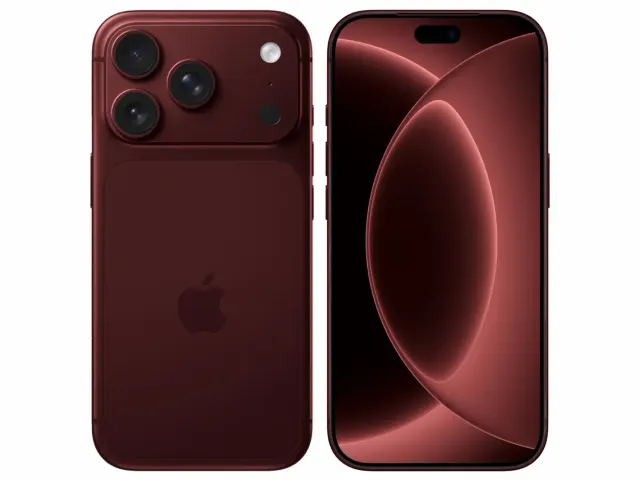
Apple iPhone 18 Pro
"The iPhone 18 Pro is now a confirmed $1,199 flagship with meaningful hardware changes, but launch specifications do not prove that those changes improve ownership enough to justify upgrading. Wait for independent battery, thermal, camera and C2 modem testing if your current phone still works well."
"Starts at $1,199 in the US"
ASUS Vivobook Go 15 OLED Slim Laptop
"A budget-friendly 15.6-inch laptop crippled by non-expandable 8GB soldered memory, an outdated Zen 2 CPU architecture, dim 250-nit screen, and plastic chassis flex."
"8GB LPDDR5 RAM is permanently soldered to the motherboard (Zero upgrade slots)"
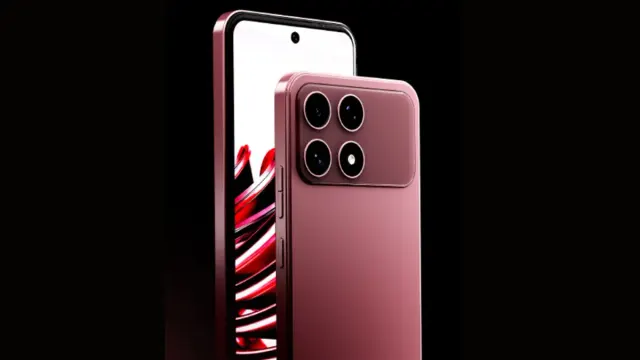
Boltt Ace 5G
"The Ace 5G offers a large battery, NFC and a clear update promise for its price, but the coarse display, 18W charging, heavy chassis and Boltt's unproven delivery record make waiting for independent tests the safer choice."
"6.79-inch display is only HD+"