Is Missing MicroSD a Dealbreaker? Know What You Actually Lose
A phone without microSD may be fine—or an expensive mistake. Compare apps, games, photos, video, offline media, cloud and USB storage before buying.
Decision in 30 seconds
What matters most
- ✓ A microSD card is excellent for photos, video, music, documents and removable archives, but it is not automatically equivalent to internal storage.
- ✓ Many apps cannot move to a card; supported apps may still leave essential data on internal storage.
- ✓ Speed Class, Video Speed Class and Application Performance Class describe different workloads, and phone support can limit real performance.
- ✓ Cloud storage helps with backed-up media but adds recurring cost and does not replace local apps, games or offline access.
- ✓ The real buying question is whether the phone has enough internal storage for non-movable data throughout the intended ownership period.
How we selected
- Current internal-storage use and expected growth over the ownership period
- Photos, video, offline media and files that can live on removable storage
- Apps and games that must remain on fast internal storage
- Cloud cost, data limits, connection reliability and privacy preferences
- Card-slot support, maximum capacity, file system and performance requirements
Bottom line
Missing microSD is a dealbreaker for buyers who need cheap removable media, shoot large photo or video libraries, work offline or move files between devices. It matters far less when internal storage is comfortably sized, media is streamed or backed up, and the owner accepts cloud or USB storage.
Phone makers increasingly ask buyers to choose storage capacity at checkout and live with it for the life of the device. For some people, removing the microSD slot changes almost nothing. For others, it turns an affordable phone into a recurring storage-management problem.
The debate often goes wrong because it treats every gigabyte as interchangeable. It is not. A 512GB card may hold a huge media library, but it cannot necessarily absorb a 25GB game, application data or system updates. Conversely, expensive internal storage can be wasteful for someone whose main need is carrying photos, music and documents.
The correct question is: what data do you need to store, where can that data legally and reliably live, and what will the alternatives cost over the phone’s full life?
The short answer
Missing microSD is a dealbreaker when removable, inexpensive and offline storage is central to how you use a phone. That commonly includes prolific photo or video capture, large personal music libraries, fieldwork without dependable internet, frequent file transfer between devices and long ownership on a limited budget.
It is usually not a dealbreaker when:
- the phone has enough internal capacity for several years of growth;
- you stream rather than maintain large offline libraries;
- photos are backed up and offloaded regularly;
- large games and creative apps fit comfortably;
- and cloud or USB storage matches your workflow.
Do not reject or buy a phone from the slot alone. First separate movable media from internal-only pressure.
What a microSD slot genuinely gives you
Cheap capacity after purchase
A card lets the owner add storage later instead of paying the manufacturer’s fixed upgrade price at checkout. It also allows staged spending: buy the phone now, add capacity only when needed, and replace or enlarge the card without replacing the device.
The comparison must include a suitable, reputable card—not the cheapest marketplace listing—and the phone’s supported maximum capacity. A slot provides no value if the card is counterfeit, unreliable or incompatible.
Removable storage
Photos, videos, music and documents can be physically removed and read by another compatible device. This is valuable for photographers, drone users, technicians, researchers and travelers who exchange files without uploading them first.
Removal is also a risk: a tiny card is easy to lose, and taking it out while data is being written can cause corruption. Removable does not mean disposable or automatically safe.
Offline independence
A local card requires no subscription, cellular allowance or server access. In areas with weak service, a large offline map, music, training-video or document library can be more useful than nominally unlimited cloud capacity.
A separate media pool
Keeping camera files and downloads on a card preserves internal capacity for the operating system, updates, apps and temporary data. This separation can prolong the comfortable life of a lower-capacity phone even when apps themselves cannot move.
What microSD does not guarantee
It does not turn every 128GB phone into a 1TB phone
The total displayed capacity can be misleading. A phone may have hundreds of gigabytes free on the card while refusing an application update because internal storage is full.
Samsung’s own support documentation says not all apps support moving to SD, and compatible apps may leave required data internally. Android also distinguishes portable storage from adoptable storage. Availability of adoptable storage depends on the device implementation; never assume a phone supports it because Android documentation describes it.
It does not guarantee app or game portability
Applications can include executable code, protected data, caches, downloaded assets and updates. Moving one part does not necessarily move all of it. Developers and manufacturers can restrict movement for reliability, security or performance.
If games are your main storage problem, prioritize sufficient internal capacity. A microSD slot is a bonus only after confirming the exact titles can place meaningful data there.
It does not guarantee camera modes will record to the card
A camera app may allow ordinary photos to use the card but force burst capture, RAW, high-frame-rate or high-bitrate video onto internal storage. The phone’s card interface and software also determine which formats are supported.
Check the actual recording menu and manual for the model. “Supports microSD” does not prove that every camera feature uses it.
It is not a backup by itself
A card inside the phone can be stolen, submerged or destroyed with the phone. It can also fail independently. Important data needs another verified copy.
The card is storage. Backup is a system of multiple copies, ideally with one kept elsewhere.
Portable storage versus adoptable storage
Android documents two possible setup modes on supported devices.
Portable storage keeps the card broadly useful for media and file transfer. It can be removed and read elsewhere, subject to compatible format and encryption choices. This is the most predictable use of microSD.
Adoptable storage formats the card as part of the device’s internal-storage pool. It may allow more content to move, but the card becomes tied to that phone and should not be treated as casually removable. Performance and reliability become more important because applications may depend on it.
Manufacturers can omit adoptable storage. Even when it exists, it is not automatically the best choice. A card failure can affect more than a media folder, and a slow card can make application behavior inconsistent.
Before purchase, confirm whether the exact model offers:
- portable storage only;
- portable and adoptable storage;
- app movement on a per-app basis;
- direct camera recording to the card;
- and encryption behavior compatible with your recovery plan.
Understanding card labels without buying by logo soup
A microSD card can carry several overlapping symbols. They describe minimums for different workloads, not one universal speed score.
Capacity family: microSDHC and microSDXC
Capacity and file-system support affect compatibility. The phone may state a maximum supported card size. Check the manual instead of assuming any physically fitting card works.
Speed Class, UHS Speed Class and Video Speed Class
The SD Association defines speed classes to indicate minimum sustained write performance for streaming workloads such as video. A card’s impressive peak read figure on the package does not prove it can sustain a demanding recording mode.
Match the camera mode’s requirement to the card and the phone’s interface. Buying a faster-rated card cannot make a slow phone reader exceed its own limit.
Application Performance Class: A1 and A2
A1 and A2 address random input/output behavior relevant to running applications. A2 specifies higher potential random performance and uses supporting functions, but the host device must support them to realize the advantage.
An A2 logo therefore does not guarantee that every phone will run apps faster than with a good A1 card. It also does not override an app or manufacturer decision that prohibits movement.
Endurance ratings
Dashcams, security cameras and continuous video workloads rewrite storage repeatedly. For sustained phone video or intensive field use, endurance and warranty terms can matter more than the largest advertised burst speed.
Buy from a reputable seller and test capacity and integrity before trusting the card with unique files. Counterfeit cards can report a false capacity and overwrite earlier data when their real memory fills.
The storage workload test
Split your current usage into four buckets.
Bucket 1: internal-only or internal-preferred
- operating system and updates;
- most application code and protected data;
- large games that do not support external storage;
- app caches and temporary files;
- high-performance editing projects;
- and camera modes forced to internal storage.
This bucket determines the minimum internal capacity you should buy. A card cannot be assumed to rescue it.
Bucket 2: easily movable media
- photos and ordinary video;
- downloaded music;
- movies and podcasts where the app permits a card location;
- ebooks, PDFs and office documents;
- exported creative files;
- and offline archives.
This is where microSD provides its greatest value.
Bucket 3: cloud-suitable data
- backed-up photos already optimized locally;
- documents needed on multiple devices;
- replaceable media downloads;
- and files that tolerate delayed access.
Cloud can relieve this bucket, but only if connection, privacy and recurring cost are acceptable.
Bucket 4: external USB-suitable data
- large project exports;
- occasional video archives;
- device-to-device transfers;
- and emergency offloads during travel.
USB storage offers high capacity without a permanent slot but adds a cable or attached device and is less convenient for always-available media.
Now total Bucket 1 with a working reserve and growth for the intended ownership period. If it approaches the phone’s internal capacity, microSD support does not make that configuration safe.
To size that working reserve, use our free-storage headroom guide, which distinguishes a critical low-space condition from comfortable everyday and heavy-use buffers.
Our 128GB phone-storage guide provides a fuller growth calculation.
128GB plus microSD versus 256GB without it
Neither configuration wins universally.
| Workload | 128GB + microSD | 256GB internal only |
|---|---|---|
| Large photo/video library | Strong value | Convenient but fixed |
| Several large games | Depends on game support | Usually safer |
| App-heavy use | Internal limit remains | More flexible |
| Offline music and documents | Excellent | Good but expensive to expand |
| Frequent physical file transfer | Excellent | Requires USB/cloud |
| Simplicity and predictable speed | More management | Stronger |
| Future expansion | Card can be upgraded | Impossible after purchase |
If the first 128GB is already crowded by apps, system data and games, choose more internal storage. If internal use is modest but the media library is enormous, the card configuration can provide much more useful capacity per dollar.
Cloud storage is not a microSD slot in the sky
Cloud backup and optimization solve part of the same problem but change ownership conditions.
Advantages include automatic off-device copies, multi-device access and less risk from losing the phone. Downsides include:
- recurring fees after the free tier;
- upload time and mobile-data use;
- limited access without connectivity;
- dependence on an account and service;
- privacy and retention considerations;
- and local space still required for apps, caches and some media.
Calculate the subscription over the expected phone life. A modest monthly fee multiplied by five years can exceed the difference between internal-storage tiers or the cost of several reputable cards.
Cloud plus local backup can be excellent. It simply should not be described as a free, complete substitute for removable storage.
USB-C drives and external SSDs
External storage is increasingly useful for archiving files or recording supported high-bitrate video. Apple documents access to connected USB drives and SD cards through the iPhone Files app; Android phones can also support USB storage depending on hardware, power and software.
External devices are strong for deliberate workflows but weak as invisible everyday expansion:
- they protrude or require a cable;
- they can occupy the charging port;
- power requirements may cause compatibility issues;
- applications generally cannot live on them as normal installed storage;
- and constant attachment is inconvenient.
USB is a good archive and transfer solution. It is not equivalent to a protected slot that remains inside the phone.
When missing microSD is probably a dealbreaker
You maintain a large offline library
Lossless music, films, maps, educational content and reference documents can exceed affordable internal tiers. Streaming is not a solution where connectivity is costly or unreliable.
The phone is a field camera or content-collection tool
Expandable cards allow rotation, separation by project and rapid physical handoff. Confirm the required modes can record to the card; if they cannot, buy enough internal storage regardless.
You keep phones for many years
Media and app data accumulate. Expandability reduces the chance that a healthy phone is retired merely because its fixed storage no longer fits the owner’s life.
Your budget makes internal upgrades poor value
When a manufacturer charges heavily for the next storage tier, a reputable card can offer far more media capacity per dollar. Compare the actual phone price tiers in your region.
You deliberately avoid cloud dependence
Privacy, remote travel, subscription fatigue or limited broadband can make locally owned removable storage a requirement rather than nostalgia.
When missing microSD probably does not matter
Your internal capacity has a large long-term margin
If projected internal-only data remains comfortably below the purchased tier through the ownership period, the absent slot may never affect daily use.
Your biggest storage users are apps and games
These often need internal storage anyway. Paying for a larger internal tier can be more effective than selecting a different phone merely for a slot.
You stream and back up actively
Users with reliable connectivity, modest camera creation and disciplined offloading may obtain little benefit from removable storage.
You value simplicity over maximum capacity per dollar
Internal storage avoids card selection, mounting, corruption and file-location management. This convenience has value, especially for people who do not want to administer storage.
Hidden costs and downside risks of microSD
Expandable storage is useful, but it is not free of tradeoffs.
- A good card costs money and can narrow the apparent price advantage.
- Low-quality or counterfeit cards can lose data.
- Cards have finite write endurance.
- Removing a mounted card carelessly can corrupt files.
- Encrypted or adopted cards may not be readable in another device.
- A card slot may share space with a second SIM on hybrid trays.
- Performance can vary by workload and host support.
- Backup is still required.
These drawbacks explain why a large, fast internal tier can be the better product even when its raw cost per gigabyte is higher.
Buying checklist
Before accepting a phone without microSD, answer these questions:
- How much internal storage does my current phone use after excluding movable photos and video?
- How quickly did that internal-only data grow?
- How many years will I keep the new phone?
- Which large apps and games must remain installed?
- How much 4K, RAW or high-bitrate video will I create?
- Do I need media and maps without internet access?
- What is the real price difference between 128GB, 256GB and 512GB?
- What would cloud service cost across the ownership period?
- Can USB storage fit my workflow without constant attachment?
- Would lack of expansion force an earlier phone replacement?
For a phone with microSD, additionally verify:
- maximum supported capacity;
- portable versus adoptable-storage support;
- app and camera behavior;
- shared SIM-slot compromises;
- required card speed and endurance;
- and warranty or water-resistance implications of the tray design.
Final verdict
Missing microSD is not automatically a dealbreaker, but fixed storage is a permanent purchasing decision. The slot matters most when your data is dominated by movable media, offline access and long-term growth. It matters less when apps and games dominate, because those workloads often remain tied to internal storage.
The strongest no-slot phone is not the one that promises cloud convenience; it is the one whose affordable internal tier comfortably holds your non-movable data through the final year of ownership.
The clean decision rule is:
If the phone’s internal storage can hold the operating system, all required apps and games, their future growth and a healthy reserve—while cloud or USB handles the rest—missing microSD is unlikely to matter.
If that calculation fails, do not assume cleanup will solve it later. Buy a larger internal tier or choose a phone with expansion that supports your exact workload.
For the wider ownership decision, see our long-term phone buying guide, battery replacement versus upgrade guide and research methodology.
Sources
- Google Android Help: Get started with an SD card
- Samsung: How to use an SD card with a phone
- SD Association: Speed Class
- SD Association: Application Performance Class
- SD Association: Application Performance Class for smartphone apps
- Apple: Connect external storage devices to iPhone
- Apple: Find files on iPhone or iPad
Editorial disclosure: FlawCheck did not test every card, phone, application or camera mode. Compatibility, speed, maximum capacity, adopted-storage behavior and file placement vary by device and software. Verify the exact model documentation before purchase.
Frequently Asked Questions
Direct answers to common buyer concerns and uncertainties.
Can microSD increase storage for every Android app?
No. Support depends on the phone, Android implementation and individual app. Some apps cannot move at all, while others leave required data on internal storage.
Is microSD as fast as internal phone storage?
Usually not for mixed app workloads. Card labels specify minimum performance for particular use cases, but the card reader, phone software and workload affect real speed. Internal storage is generally the safer location for system data and demanding apps.
Is 256GB without microSD better than 128GB with microSD?
For large apps and games, 256GB internal storage is often more useful. For large photo, video, music or document libraries, 128GB plus microSD may provide more capacity at lower cost. The better option depends on which data dominates.
Can cloud storage replace a microSD card?
Cloud storage can reduce local photo and file pressure, but it requires connectivity, may add subscription cost and cannot host most installed apps or games. It is a different tradeoff, not a complete replacement.
Can I record phone video directly to microSD?
Some phones and camera apps allow it, but support and available recording modes vary. The card must also sustain the required write speed. Confirm the exact phone, resolution, codec and card requirement.
Is a microSD card a safe backup?
No single card should be the only copy of important files. Cards can fail, become corrupted, be lost or be damaged with the phone. Keep another verified copy on a computer, external drive or cloud service.

Written by FlawCheck Editorial Desk
Editorial ResearchFlawCheck's editorial desk is responsible for source review, claim labeling, buyer-risk analysis, publication updates, and corrections. Current articles are research-based unless a documented hands-on method is explicitly provided.
Reviews behind this guide
View All Reviews →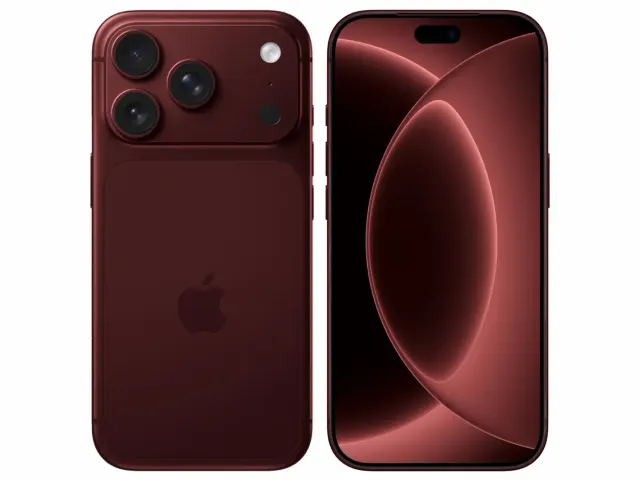
Apple iPhone 18 Pro
"The iPhone 18 Pro is now a confirmed $1,199 flagship with meaningful hardware changes, but launch specifications do not prove that those changes improve ownership enough to justify upgrading. Wait for independent battery, thermal, camera and C2 modem testing if your current phone still works well."
"Starts at $1,199 in the US"
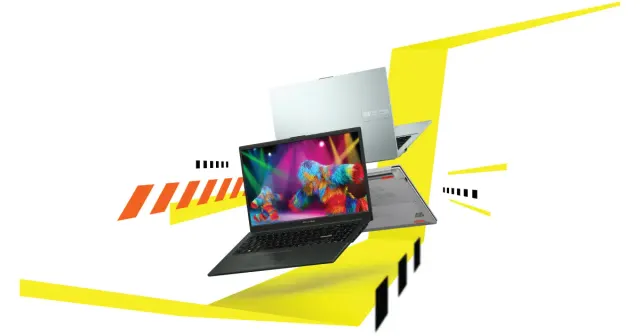
ASUS Vivobook Go 15 OLED Slim Laptop
"A budget-friendly 15.6-inch laptop crippled by non-expandable 8GB soldered memory, an outdated Zen 2 CPU architecture, dim 250-nit screen, and plastic chassis flex."
"8GB LPDDR5 RAM is permanently soldered to the motherboard (Zero upgrade slots)"
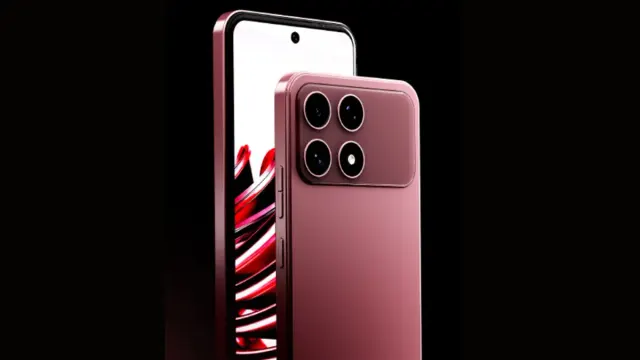
Boltt Ace 5G
"The Ace 5G offers a large battery, NFC and a clear update promise for its price, but the coarse display, 18W charging, heavy chassis and Boltt's unproven delivery record make waiting for independent tests the safer choice."
"6.79-inch display is only HD+"