Is 128GB Enough for a Phone in 2026? The Storage Costs Most Buyers Miss
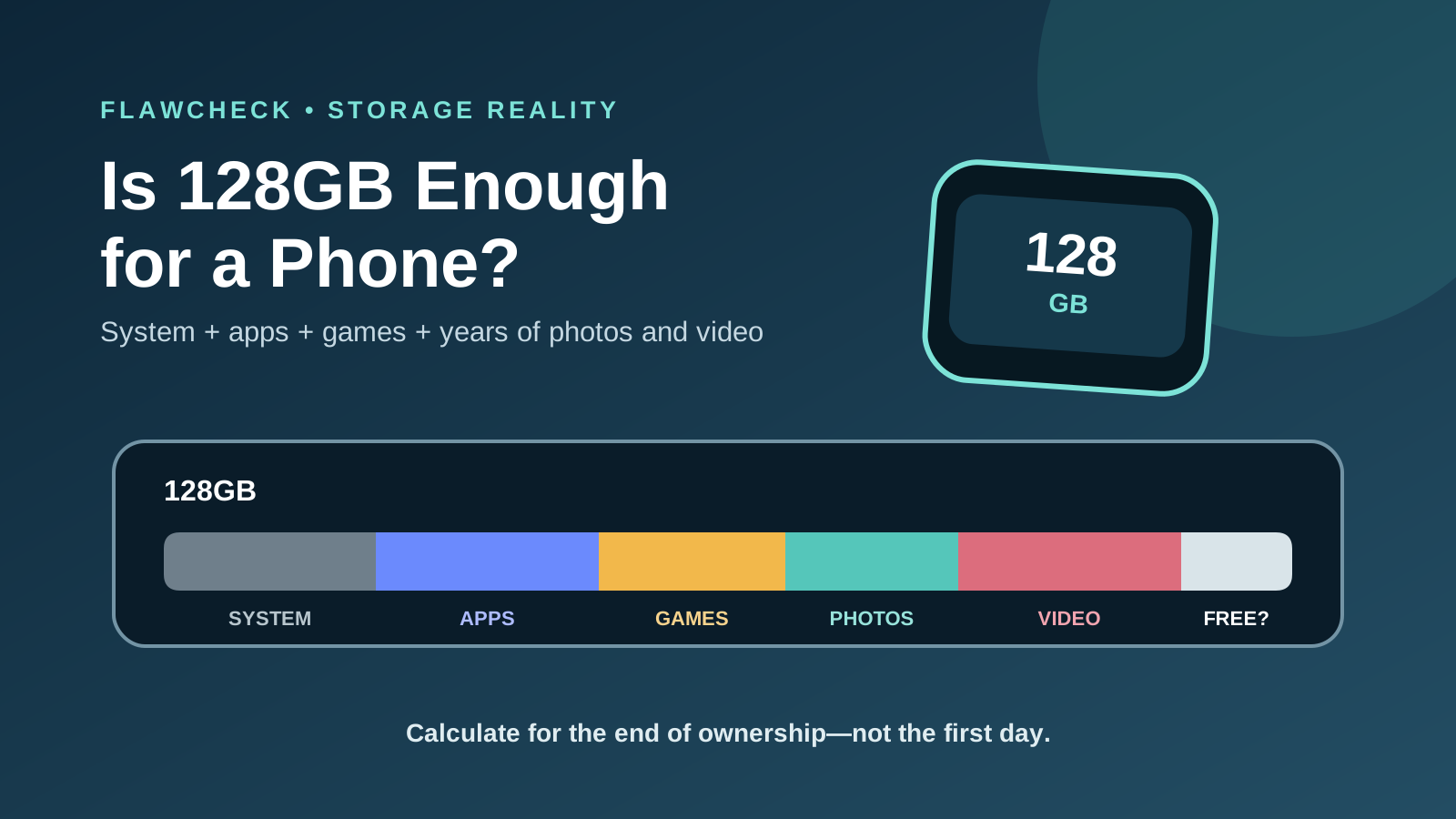
128GB can still be enough, but apps, 4K video, cloud fees and years of accumulated data can turn the cheapest storage tier into a false economy.
Decision in 30 seconds
What matters most
- ✓ A 128GB phone never gives you the full 128GB for personal files because formatting, the operating system and system data use part of the capacity.
- ✓ 128GB works best for people who stream media, record little 4K video and actively offload backed-up photos and videos.
- ✓ Apps, games, caches, messaging attachments and offline downloads can keep growing even when you rarely create files yourself.
- ✓ Cloud storage can reduce local photo pressure, but it cannot replace internal capacity for apps, games and offline use—and it adds a recurring cost.
- ✓ Choose storage for your expected use near the end of ownership, not for the nearly empty phone you have on setup day.
How we selected
- Current used storage and its growth over the age of the existing phone
- Expected ownership period of the replacement phone
- 4K, RAW, ProRes or other high-bitrate camera use
- Large games, creative applications and offline media
- Availability of microSD, USB-C external storage, cloud storage and computer backups
Bottom line
128GB is still workable for light users who stream media, record limited video and regularly offload files. For a primary phone kept four years or longer, 256GB is the safer mainstream choice—especially when there is no microSD slot.
The cheapest storage option often looks like the sensible purchase. A 128GB phone costs less, cloud backup promises to move photos out of the way, and you can always delete a few files later.
The catch is that storage is fixed on most modern phones. The decision you make at checkout has to absorb years of operating-system updates, expanding apps, message attachments, camera files and temporary downloads. Saving money on 128GB can be smart, but it can also create recurring cloud fees, cleanup work or an earlier phone upgrade.
This guide does not assume that every buyer needs 256GB. It shows how to calculate whether 128GB fits your own workload—and where the hidden costs begin.
The quick answer: who is 128GB enough for?
128GB is enough in 2026 for light users who stream most media, record limited video, keep a small game library and regularly offload backed-up photos. It is a riskier choice for a primary phone that must last four or five years.
Your decision should depend on what remains stored locally, not how much data you create in total. A person may shoot 100GB of video in a year but archive nearly all of it to a computer. Another may shoot less yet retain every original, edit and messaging copy on the phone.
Use this as the first decision filter:
| User type | 128GB | 256GB |
|---|---|---|
| Casual photos with cloud backup | Can be enough | More comfortable |
| Frequent 4K video | High risk | Recommended |
| Several large games | Fills quickly | Recommended |
| Keeping the phone for 4–5 years | Can become a bottleneck | Safer choice |
| Regularly offloads and deletes files | Can save money | Not essential |
| Phone has no microSD slot | Consider carefully | Preferable |
This table is a starting point, not a substitute for checking your current phone.
Buy 128GB if… your current use is low, retained data grows slowly, you stream most media and you already offload files.
Buy 256GB if… this is a four- or five-year phone, you record regular 4K video, keep several large games or want to avoid routine cleanup.
How much of 128GB is actually available after the operating system?
A phone advertised with 128GB never gives you an empty 128GB folder for personal files.
Storage manufacturers use decimal measurement: 1GB equals one billion bytes. Apple explains that formatted capacity is lower than the number on the box and that the operating system consumes additional space. The same underlying issue applies across storage devices, but each phone reports categories differently. Apple’s storage-capacity explanation
Space is also required for:
- the operating system and recovery components;
- preinstalled apps and manufacturer software;
- downloaded updates and installation files;
- system data, indexing, logs and thumbnails;
- app caches and temporary working files;
- camera processing and editing exports.
There is no honest universal answer such as “a 128GB phone gives you exactly 110GB.” An iPhone, Pixel and Galaxy can begin with different free space, and that number can change after setup, restoring a backup or installing a major update.
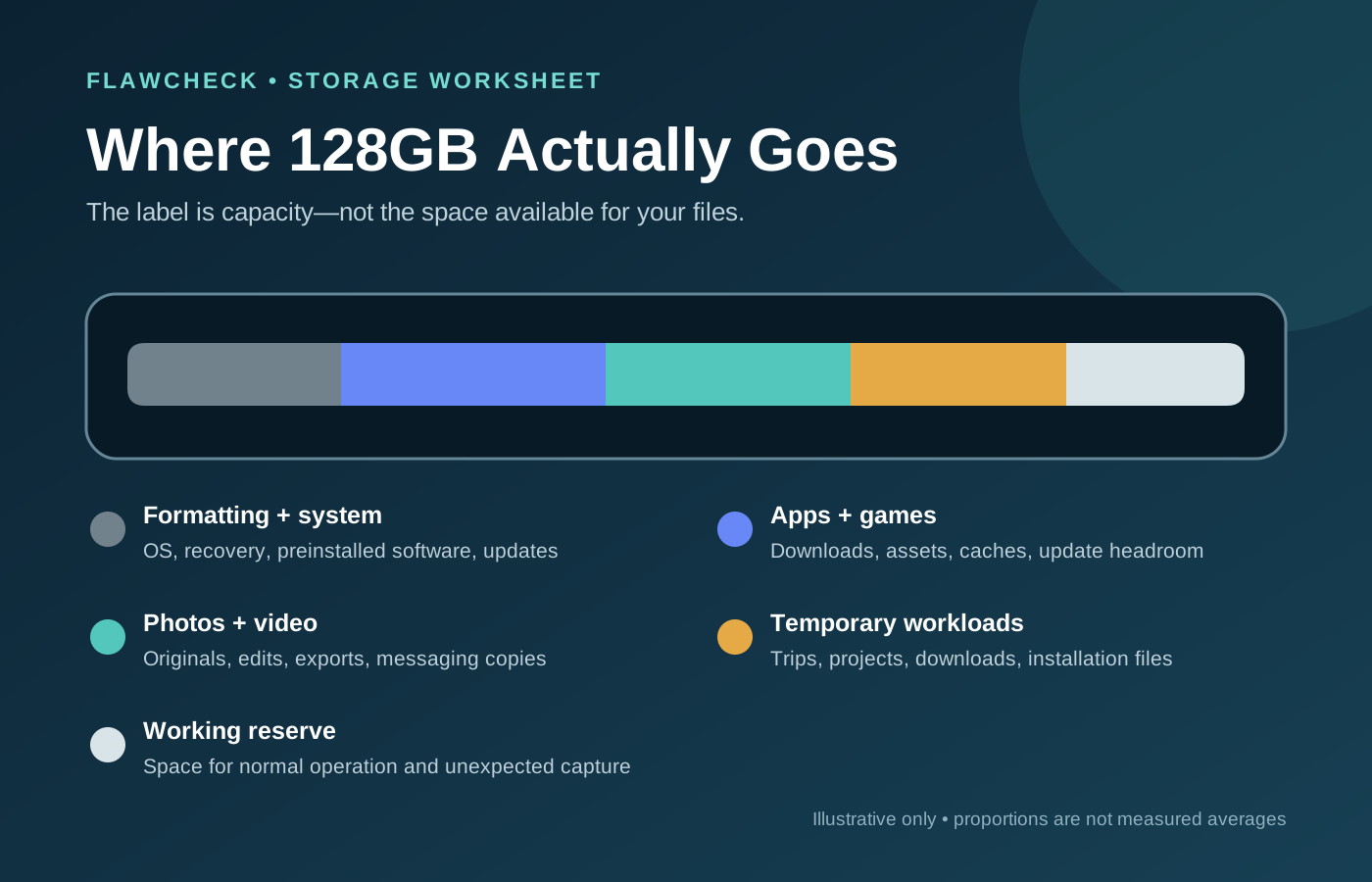
Check the exact model after setup or look for a reliable review that shows its storage screen. Then preserve a working reserve. For ordinary planning, FlawCheck uses 10–15GB as a minimum buffer, not as a manufacturer guarantee. Video creators and people installing large games should keep more.
That planning reserve is only a starting point. Our guide to how much free phone storage to keep separates Android’s documented 10% warning line from practical GB buffers for updates, games, video, and offline use.
Apple provides one useful workload-specific reference: ProRes recording requires at least 10% of the device’s storage to remain free. That rule applies to ProRes, not every phone activity, but it demonstrates why planning to use the final gigabyte is unrealistic. Apple ProRes storage guidance
What fills phone storage fastest?
Use the following as a worksheet, not a universal file-size chart. Camera codecs, game packages and download quality vary substantially.
| Behavior | Illustrative planning allowance | What changes the estimate |
|---|---|---|
| Ordinary compressed photos | 5–15GB retained per year | Resolution, format, bursts, edits and cloud offloading |
| Occasional compressed 4K video | 10GB per roughly 30–50 minutes of capture buffer | Codec, frame rate, HDR and scene complexity |
| Two or three large games | 20–60GB plus update headroom | Downloadable assets, voice packs and temporary update files |
| Offline travel content | 10–30GB per trip | Video quality, maps, music, podcasts and trip length |
These are FlawCheck planning scenarios, not measured averages. Substitute the actual figures from your current phone wherever possible.
Apps, games and their data
The app-store download size is only the beginning. Social apps cache photos and video. Browsers retain website data. Messaging apps accumulate voice notes, documents and years of media. Navigation apps download maps, while video editors may store source clips, proxies and finished exports at the same time.
Games can grow through texture packs, maps, voice files and seasonal updates. An update may also need temporary space while old and new files coexist. You can rotate games, but repeated downloads cost time and may be impractical on slow or metered connections.
Photos and high-resolution files
Compressed everyday photos are usually manageable. High-resolution modes, RAW files, bursts, messaging copies and edited exports change the calculation. Their impact depends on what you retain locally, so fixed claims such as “128GB holds X photos” are rarely useful without a file-size assumption.
Is 128GB enough for 4K video?
It can be enough for occasional compressed 4K clips that are regularly archived. It is a poor fit for frequent filming, long trips or professional formats because video creates large bursts of storage use and may also need room for edits and exports.
Video size depends on resolution, frame rate, codec, HDR or Log mode, scene complexity and the phone’s implementation. Apple’s Final Cut Camera documentation illustrates the range: one minute of 4K30 HEVC may use more than 175MB, while 4K30 ProRes 422 may exceed 4.4GB. ProRes 422 HQ may exceed 6.6GB per minute. These are Apple-specific examples, not estimates for every Android camera, but they show why the phrase “128GB can record 4K” is incomplete. Apple Final Cut Camera format estimates
Storage capacity can even change feature access. Apple limits internal ProRes capture on supported 128GB iPhones to 1080p at 25 or 30fps, while higher-capacity versions support additional internal recording modes. Compatible USB-C models can use sufficiently fast external storage. Apple ProRes recording table
Offline media and travel create temporary storage peaks
Streaming saves local space only while connectivity is reliable and affordable. Before a trip, the same phone may need offline maps, several movies, playlists, podcasts, work documents and games. The trip then generates photos and video when uploading may be slow.
Plan around your largest likely offline week, not an ordinary day at home.
Storage estimates by behavior
The following scenarios demonstrate the calculation. They are planning examples, not measured averages or promises for a particular phone.
| Usage pattern | Starting system and apps | Retained data growth | Four-year estimate before reserve | Sensible tier |
|---|---|---|---|---|
| Streaming-first light user | 30GB | 8GB/year | 62GB | 128GB |
| Mainstream photo user | 40GB | 18GB/year | 112GB | 256GB |
| Gamer with offline media | 75GB | 15GB/year | 135GB plus update spikes | 256GB minimum |
| Frequent 4K creator | 60GB | 50GB+/year | 260GB+ | 512GB or external workflow |
Use this formula:
Required capacity = current core usage + annual retained growth × ownership years + largest temporary workload + free-space reserve
Start with your current storage screen. On iPhone, open Settings → General → iPhone Storage. On Android, the path is usually Settings → Storage, although labels vary by manufacturer.
Record your total used storage, photos and videos, apps and games, offline files and the age of the phone. If you use 70GB after two years and rarely delete anything, buying another 128GB phone for five years leaves little room for changed habits. If you use 35GB after four years and already maintain verified backups, 256GB may remain mostly unused.
Is 128GB enough for three or four years?
It can be—but only when your growth rate stays controlled.
Storage pressure is cumulative. Major apps add features, games receive larger assets, camera resolution increases and messaging histories grow. A phone that feels empty during its first year can become inconvenient in year three without any single dramatic change.
Long software support makes this more important. A phone may receive updates for many years, but fixed storage cannot be upgraded. If capacity forces replacement while the battery, screen and processor remain serviceable, the cheaper storage tier has shortened the useful ownership period.
Battery strategy belongs in the same ownership plan. Our guide to charging a phone to 80% explains when preserving the battery costs too much daily runtime; storage and battery health should both remain acceptable through the intended ownership period.
For a three- or four-year decision, ask:
- How much space did your current phone gain per year?
- Will the new camera encourage more 4K or high-resolution capture?
- Will you keep more games, offline entertainment or work files?
- Can you archive media without relying on a single cloud copy?
- Are you willing to manage storage every few months?
If several answers increase future demand, 256GB is insurance against a predictable constraint, not merely a luxury upgrade.
The hidden costs of choosing 128GB
The storage surcharge at checkout is visible. The costs created by insufficient storage are less obvious.
Cloud subscriptions
Cloud photo optimization can reduce local media pressure. Google Photos can remove backed-up files from a device, and iCloud Photos can retain space-saving versions locally. But cloud capacity is not internal capacity: apps, games, caches and offline downloads still live on the phone.
Cloud also creates recurring cost. At the US prices checked on September 17, 2026, iCloud+ costs $0.99 per month for 50GB and $2.99 per month for 200GB. Over five years, those plans total $59.40 and $179.40 before any price change. Prices vary by country and can change, so compare the current local rate when buying. Apple iCloud+ plans
Google accounts include 15GB shared across Google Photos, Drive and Gmail. Paid Google One pricing is region-dependent, so the same five-year comparison must use the buyer’s local plan. Google One plans
Cleanup and interrupted use
Deleting downloads, reviewing duplicate video, moving files and reinstalling games all consume time. Storage pressure often appears at the worst moment: during an operating-system update, before a flight or while recording an event.
Earlier replacement
The most expensive outcome is replacing an otherwise functional phone. More storage will not repair a failing battery or extend software support, but too little fixed capacity can become the first non-repairable bottleneck. If storage is the only serious limitation, compare the true cost of managing it with the cost of replacement using our battery-or-new-phone decision guide.
Backup risk
Deleting local originals after cloud upload may free space, but synchronization is not automatically a complete backup strategy. Account loss, mistaken deletion and incomplete uploads still matter. Larger internal storage does not remove this risk either; it simply delays cleanup.
What changes on an Android phone without microSD?
The buying logic becomes closer to an iPhone: the internal capacity selected at checkout is effectively fixed. Cloud storage and a USB-C drive can move media away from the phone, but neither adds space for every installed app, game, cache or local database.
On Android phones that do support microSD, the card can make 128GB much more practical for photos, video, music and documents. It is not the same as buying 256GB of internal storage. Samsung notes that external memory can store media but not applications in the use case described by its storage guide. Exact behavior varies by phone and app, so confirm what the model supports before purchase. Samsung phone-storage guide
This article uses microSD only as one input in the capacity decision. Our separate guide asks whether missing microSD is actually a dealbreaker, including speed, reliability, app support and backup behavior.
128GB vs 256GB: pay now or pay over time?
Compare the upgrade price across the period you intend to own the phone.
If 256GB costs $100 more and you keep the phone for five years, the difference is $20 per year. Compare that with:
- the cloud subscription you would otherwise buy;
- an external SSD, cable or computer archive;
- time spent moving and deleting files;
- possible resale differences;
- the chance of replacing the phone early.
The 256GB upgrade can still be poor value. Manufacturers often charge much more than the underlying flash-memory difference, and unused storage produces no benefit. Someone using 35GB after several years should not buy 512GB out of vague anxiety.
The right question is not “Which tier is better?” It is “Which tier has the lower total cost for my expected workload?”
When 128GB is the sensible choice
Choose 128GB when most of these are true:
- your current phone remains well below roughly half its capacity;
- you stream music and video instead of keeping large offline libraries;
- you rarely record long 4K clips or RAW media;
- you keep only one or two large games installed;
- you already archive photos to a computer, NAS or verified cloud workflow;
- you replace phones within two or three years;
- you accept occasional storage management;
- the phone supports microSD for your media needs.
It is also reasonable for a secondary phone used mainly for communication, authentication or work apps.
When to choose 256GB or more
Choose at least 256GB when several of these apply:
- you intend to keep the phone for four or five years;
- current usage is already around 80–100GB;
- you record 4K video regularly;
- you keep multiple large games installed;
- you download movies, music and maps for travel;
- the phone has no microSD slot;
- the phone is your main camera or work device;
- you strongly dislike deleting or moving files.
Consider 512GB or an external-storage workflow for frequent high-bitrate video, RAW photography, mobile editing or a large local gaming library. Confirm that the phone, cable, drive and camera app support the external workflow before treating it as a substitute for internal storage.
On compatible Android phones, microSD remains useful for media, but confirm its limitations before treating a 128GB model as expandable in every way.
Five-minute storage checklist
Before ordering a phone:
- Open the storage screen on your current phone.
- Note total usage and the age of the device.
- Estimate how much retained data you add each year.
- Multiply that growth by the intended ownership period.
- Add any increase from a better camera, new games or work apps.
- Add your largest travel or video-project spike.
- Leave at least 10–15GB as a planning reserve; demanding workloads need more.
- Confirm whether the exact model supports microSD or external recording.
- Compare the storage upgrade with local cloud costs over the full ownership period.
- Choose one tier higher only when the remaining uncertainty is meaningful.
Our long-term phone ownership guide covers the other fixed constraints—software support, battery replacement and repairability—that determine whether a phone can realistically last.
Final verdict
128GB is not obsolete in 2026. It remains a rational entry tier for light, streaming-first users who record limited video and maintain a disciplined archive or cloud workflow.
For a primary phone kept four years or longer, 256GB is the safer mainstream choice, particularly when there is no microSD slot. It gives system data, app growth, 4K video and temporary downloads room to coexist without making cleanup a routine chore.
Creators and serious mobile gamers should calculate from 512GB or verify an external-storage workflow. More capacity is not automatically better value, but buying too little can turn a one-time saving into years of subscription fees, file management and an avoidable early upgrade.
The downside-first rule is simple:
Buy storage for your busiest future week, not your emptiest day after setup.
Read the FlawCheck editorial methodology to see how we separate manufacturer specifications, documented behavior and workload-dependent recommendations.
Sources
- Apple: How storage capacity is measured
- Apple: About ProRes on iPhone
- Apple: Final Cut Camera format and file-size estimates
- Apple: iCloud+ plans
- Google: Free up storage on Android
- Google Photos: Free up space on a device
- Google One: Plans and pricing
- Samsung: Phone memory and storage guide
Editorial disclosure: FlawCheck did not measure storage use on every phone or application. The scenarios above illustrate a buying method, not fixed promises. Formatted capacity, system use and media size vary by hardware, software, codec, settings and scene.
Frequently Asked Questions
Direct answers to common buyer concerns and uncertainties.
Is 128GB enough for an average phone user in 2026?
It can be enough for messaging, browsing, social apps, moderate photography and streaming when media is backed up and removed locally. It is less comfortable for long ownership, several large games, frequent 4K video or extensive offline downloads.
How much usable storage does a 128GB phone have?
There is no universal figure. Formatting, the operating system, preinstalled apps, updates and system data consume different amounts on different models and software versions. Check the storage screen on the exact phone instead of assuming every 128GB model starts with the same free space.
Should I buy 128GB or 256GB?
Choose 128GB when your current usage is comfortably below the capacity, your retained data grows slowly and you actively manage media. Choose 256GB when keeping the phone for four years or more, recording regular 4K video, installing several large games or avoiding cloud dependence.
Does cloud storage make 128GB enough?
Cloud photo optimization can reduce local photo and video use, but apps, games, caches and offline files still require device storage. Cloud storage also adds a subscription cost and depends on connectivity and continued account access.
Does low storage make a phone slower?
Very low free space can interfere with updates, downloads, temporary files and normal app behavior. Capacity alone does not determine performance, but leaving working space is safer than planning to keep the phone almost completely full.
Can a microSD card replace buying more internal storage?
A microSD card can be useful for photos, video, music and documents on compatible Android phones, but many apps and parts of their data remain on internal storage. Card speed, reliability and device support also matter.

Written by FlawCheck Editorial Desk
Editorial ResearchFlawCheck's editorial desk is responsible for source review, claim labeling, buyer-risk analysis, publication updates, and corrections. Current articles are research-based unless a documented hands-on method is explicitly provided.
Reviews behind this guide
View All Reviews →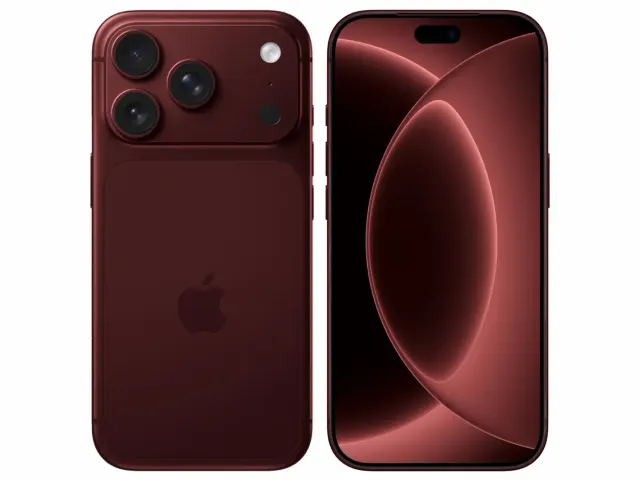
Apple iPhone 18 Pro
"The iPhone 18 Pro is now a confirmed $1,199 flagship with meaningful hardware changes, but launch specifications do not prove that those changes improve ownership enough to justify upgrading. Wait for independent battery, thermal, camera and C2 modem testing if your current phone still works well."
"Starts at $1,199 in the US"
ASUS Vivobook Go 15 OLED Slim Laptop
"A budget-friendly 15.6-inch laptop crippled by non-expandable 8GB soldered memory, an outdated Zen 2 CPU architecture, dim 250-nit screen, and plastic chassis flex."
"8GB LPDDR5 RAM is permanently soldered to the motherboard (Zero upgrade slots)"
Boltt Ace 5G
"The Ace 5G offers a large battery, NFC and a clear update promise for its price, but the coarse display, 18W charging, heavy chassis and Boltt's unproven delivery record make waiting for independent tests the safer choice."
"6.79-inch display is only HD+"