How Much Free Storage Should You Keep on Your Phone?
Keeping too little storage free can disrupt updates, apps and camera recording. See how much space iPhone and Android users should leave available.
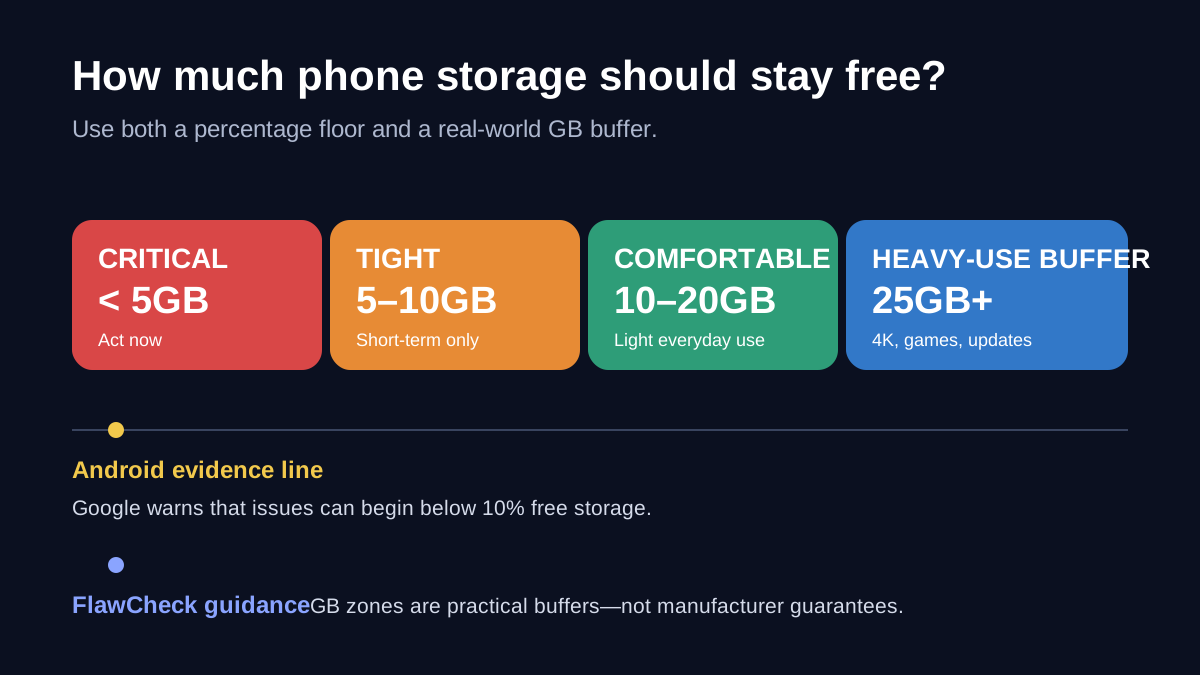
Decision in 30 seconds
What matters most
- ✓ Google warns Android phones can start having issues below 10% free storage; Apple publishes no equivalent universal percentage.
- ✓ Ten to twenty gigabytes is a practical everyday buffer on common 64GB and 128GB phones, not a manufacturer requirement.
- ✓ Camera work, large games, offline downloads, and major updates justify a 20–30GB working reserve.
How we selected
- Official Apple, Google, Android, Google Play, and Samsung support documentation
- Clear separation between manufacturer claims and FlawCheck editorial recommendations
- Capacity-specific and use-case-specific headroom instead of one universal percentage
Bottom line
Keep at least 10% free as a floor. For most users, 10–20GB is a useful everyday buffer; keep 20–30GB for large updates, games, offline media, or 4K video.
Your phone does not need 20% of its storage permanently empty just because that rule gets repeated online. But waiting until the last gigabyte is gone is risky, too.
A practical target is to keep at least 10% of your phone’s storage free. On common 64GB and 128GB phones, 10–20GB is a more useful everyday buffer. Keep 20–30GB free if you regularly record 4K video, install large games, download media for offline use, or perform major system updates. On higher-capacity Android phones, the 10% floor may be larger than those fixed-GB targets.
There is an important distinction behind those numbers. Google officially warns that Android phones can start having problems when less than 10% of storage is free. Apple does not publish an equivalent universal percentage for the iPhone. The 10–20GB and 20–30GB ranges are therefore FlawCheck’s practical buffers—not manufacturer requirements that apply to every phone.
The short answer: how much storage should you leave free?
| Free storage remaining | Practical assessment |
|---|---|
| Less than 1GB | Critical: app downloads and installs may fail, and there is almost no room for temporary work |
| Less than 5GB | Danger zone: updates, camera recording, downloads, and app data can run into trouble |
| 5–10GB | A temporary buffer, but uncomfortable for large apps, updates, or extended video recording |
| 10–20GB | A reasonable everyday target for light and moderate users |
| 15–20% of total capacity | A comfortable target, especially on lower-capacity phones, but not a universal rule |
| 25GB or more | Sensible for 4K recording, large games, offline media, and frequent system updates |
The 10% line is supported by Google’s Android guidance. The fixed-GB zones are practical FlawCheck guidance, not universal requirements from Apple or Google.
The best target is the larger of a useful number of gigabytes and a sensible percentage. Ten percent of a 64GB phone is only 6.4GB, while 10% of a 512GB phone is 51.2GB. The first may be too little before a major update; the second may be unnecessary for a light user.
That is why a hybrid rule works better: avoid dropping below 10%, then adjust the gigabyte buffer to what you actually do.
Why does a phone need free storage?
Storage is not the same thing as memory, or RAM. Storage holds apps, photos, videos, downloads, messages, and system files. RAM is the short-term workspace used by running apps. Clearing storage does not automatically add RAM, and closing apps does not create more storage.
Still, the operating system and apps need some available storage to work normally. They may need it to:
- download and unpack system updates;
- install or update apps;
- create caches and temporary files;
- save photos, videos, voice recordings, and documents;
- download maps, music, films, and game data;
- process media before the final file is saved;
- retain recovery, log, or indexing data.
Google’s Android troubleshooting documentation says a phone can start having issues when less than 10% of storage is free. Google Play also says low storage can stop apps from downloading or installing, and identifies less than 1GB available as a sign that a device may be low on space.
That does not mean every phone becomes slow at exactly 9.9% free. Performance also depends on the device, storage hardware, software version, background activity, and the app involved. Ten percent is a warning threshold, not a mechanical speed limit.
What happens when your phone is almost full?
The first problem may not be obvious benchmark slowdown. The more immediate downsides are failed actions and unpredictable interruptions.
The camera may stop at the worst moment
A photo needs only a limited amount of space, but video consumes storage continuously. If the available capacity runs out, recording can stop before you expect it to. High resolution, higher frame rates, HDR, and professional formats can make the risk much worse.
Updates can refuse to install
A system update needs room for its download and installation process. The displayed download size is not necessarily the only space the device will use while preparing the update. Apple and Google therefore avoid promising one universal number for all updates.
Apps may fail to download or update
Google Play explicitly warns that low storage can prevent app downloads and installations. Large games are especially awkward because the store download may be followed by additional in-game assets.
Apps have less room for temporary data
Browsers, social apps, streaming services, messaging apps, and maps can accumulate caches or offline files. Clearing a cache may recover space, but the app can recreate it later. Constantly clearing the same cache treats the symptom, not the storage pattern causing it.
Your phone may keep cleaning up behind you
iOS can remove temporary files and offload unused apps when space is tight. Android devices may suggest cleanup, archive unused apps, or remove backed-up local media when the relevant features are enabled. These mechanisms are helpful, but they also mean the phone is making trade-offs to compensate for limited headroom.
How much free storage should an iPhone have?
Apple does not state that every iPhone must keep 10%, 15%, or 20% free. It says that an iPhone needs enough available storage to update and explains that iOS can remove redownloadable items, unused apps, and temporary files when storage is low.
For everyday use, 10–20GB free is a reasonable FlawCheck target for an iPhone. Consider 20–30GB if you:
- frequently shoot 4K video;
- install large games;
- download films, music, podcasts, or maps;
- keep many message attachments locally;
- want to install major iOS releases without last-minute cleanup.
Do not mistake iCloud capacity for free storage on the iPhone. Buying more iCloud storage does not enlarge the phone’s physical storage. Features such as Optimize iPhone Storage can reduce local photo usage, but some full-resolution originals may then need to be downloaded when you want them.
Offloading an app is also different from deleting it. Offloading removes the app itself while keeping its documents and data. That makes reinstallation easier, but it may not recover as much space as expected if the retained data is large.
How much free storage should an Android phone have?
Android has the clearest official starting point: Google says phones can start having issues when less than 10% of storage is free.
Use that as a floor, not necessarily as the perfect target:
- Below 10%: take action before the phone becomes unreliable.
- 10–15%: generally workable for light use.
- 15–20%: more comfortable if storage use changes quickly.
- 20GB or more: useful for large apps, games, downloads, and video.
Android varies more by manufacturer than iOS. Samsung’s Device Care, Google’s Files app, and storage menus from other manufacturers may classify files differently. Some Android phones support microSD cards, but many flagship models do not. Even when a card is available, the operating system and many apps still depend on internal storage.
Be careful with the two similar-looking Android commands:
- Clear cache removes temporary data. The app may load more slowly the next time it opens while rebuilding that data.
- Clear storage or clear data resets the app and permanently removes its locally stored data.
They are not interchangeable.
Recommended free space for 64GB, 128GB, 256GB, and 512GB phones
| Advertised capacity | 10% floor | FlawCheck everyday target | Heavy-use target |
|---|---|---|---|
| 64GB | 6.4GB | 10–12GB | 15–20GB |
| 128GB | 12.8GB | 15–20GB | 25–30GB |
| 256GB | 25.6GB | About 25–30GB | 30GB+ |
| 512GB | 51.2GB | About 50GB on Android; needs-based on iPhone | Depends on video, games, and offline media |
These targets reveal why a percentage-only rule can be misleading. Keeping 20% of a 512GB phone empty means reserving more than 100GB. That may be useful for a serious video workflow, but it is excessive for someone who mostly uses messaging, browsing, and cloud media.
The opposite problem appears on a 64GB phone. Ten percent leaves only 6.4GB, which can disappear quickly after a few downloads or videos. On low-capacity phones, a fixed 10GB buffer is often more useful than the bare 10% floor.
How much extra space do 4K video, games, and offline use need?
| Usage situation | Suggested reserve before starting | Why the extra room matters | Evidence status |
|---|---|---|---|
| Messaging, browsing, and light photography | 10–20GB | Leaves room for ordinary app data, cache, and small updates | FlawCheck practical guidance |
| Major iOS or Android update | More than the displayed download size, plus working headroom | The update may need room to download, prepare, and install | Manufacturer-supported principle; exact GB varies |
| Installing a large game | More than the store download size | Games may unpack files or download additional assets after installation | Practical guidance; app-specific |
| Planned 4K recording | 20–30GB where practical, then verify the camera’s own estimate | Codec, frame rate, HDR, and recording length change file size | FlawCheck buffer; device-specific |
| Offline travel | 20GB or more after maps and media are downloaded | Cloud-optimized files may not be available without a connection | Practical guidance supported by cloud-access limitations |
| Routine cloud photo optimization | Keep enough local room for current work | Removing local copies recovers space but increases connection dependence | Google Photos-supported trade-off |
These are preparation buffers, not promises that every task will fit. Check the actual download, game, or camera estimate whenever the device provides one.
4K video
There is no honest universal GB-per-minute number for 4K phone video. File size changes with frame rate, codec, HDR, bitrate, professional formats, camera mode, and phone model.
Use the estimate shown in your phone’s camera settings when available:
- Find the estimated storage used per minute for your selected recording mode.
- Multiply it by the planned recording time.
- Add headroom for multiple takes, processing, and other phone activity.
If you do not know the rate, do not begin an important 4K recording with only 5–10GB free. For a planned shoot, 25GB is a safer starting buffer, but check the device’s own estimate before relying on it.
Large games
The store listing may not show the final installed size. Games can download extra maps, textures, language packs, and updates after installation. Keep more space free than the initial download size and expect future updates to need additional temporary room.
Offline travel
Offline maps, downloaded playlists, films, translation packs, and local photos all compete for storage. Cloud optimization is least helpful precisely when the connection is poor. Before travelling, download the content you need first, then check the remaining storage instead of assuming cloud-backed files are locally available.
How much space should you free before a major update?
There is no permanent answer such as “every iOS update needs 10GB.” Update size varies by operating system version, device, update method, and whether the phone is installing a small patch or a major release.
Use this process:
- Check the update information displayed on the phone.
- Make sure you have more free space than the displayed download size.
- Preserve an additional working buffer rather than reducing the phone to nearly zero after the download.
- Back up important data before aggressive cleanup.
- If the phone still cannot update, use the manufacturer’s documented computer-assisted update method where available.
Apple notes that iOS can temporarily remove some app data to make room without deleting personal information. Android update behavior varies by manufacturer, and Google directs users with a “not enough space” warning to the relevant storage-cleanup process.
What should you delete first—and what should you not rush to delete?
Start with high-impact, low-regret items:
- Finished offline downloads inside video, music, podcast, and map apps.
- Large videos and screen recordings that are safely backed up.
- Unused games and apps with large install sizes.
- Files in Downloads and completed installers.
- Duplicate media and items still occupying Trash or Recently Deleted.
- Cache from unusually large apps, after checking what the command removes.
Do not rush to clear app data, erase messaging databases, delete system folders, or install an unknown “cleaner” app. Clearing app storage can remove logins, downloads, settings, and locally held information. Confirm backups before removing photos or videos.
Google Photos’ “Free up space” can remove local copies that are safely backed up. The downside is that removed items may no longer appear in the phone’s built-in gallery and may be unavailable when you are offline or signed out. Cloud cleanup exchanges local availability for recovered space.
When does low free space mean you bought the wrong capacity?
Occasional cleanup is normal. Repeating the same cleanup every week is a purchasing signal.
You may have outgrown the phone’s capacity when:
- free storage repeatedly falls below 10%;
- you delete useful files before every system update;
- you cannot keep the games or offline media you actually use;
- 4K recording requires constant manual cleanup;
- app caches and message attachments consume the recovered space immediately;
- cloud fees are becoming a permanent substitute for insufficient local storage;
- you avoid taking photos or downloading content because storage anxiety changes how you use the phone.
This is where a 128GB phone can be “enough” on a specification sheet but insufficient in ownership. The operating system, apps, app data, and the free-space buffer all reduce the capacity available for your files. A buyer who needs 110GB of active local data does not really have comfortable headroom on a 128GB phone. Our 128GB versus 256GB ownership guide shows how to calculate retained growth, temporary workloads, and cloud cost before choosing a tier.
If your phone lacks microSD expansion, the original capacity decision is usually permanent. Cloud storage can help with archival media, but it does not fully replace fast, offline local storage. Before treating expandable storage as a complete fix, check what a missing microSD slot actually prevents: many apps, games, caches, and system workloads still depend on internal storage.
The Samsung Galaxy S26 FE review is a useful real example. Its base configuration combines 128GB with no microSD expansion and a long software-support window, so the cheaper tier must absorb years of app growth, updates, and camera files.
Storage should also be judged alongside the other limits that decide whether a phone remains useful. The long-term phone ownership guide covers software support, repair access, battery replacement, and fixed capacity together. If an older phone is otherwise healthy, use the battery replacement versus new-phone decision guide to check whether storage—not the battery—is the non-repairable reason to upgrade.
Free-storage decision table
| Your situation | What to do |
|---|---|
| More than 20GB free and no heavy recording or downloads planned | No urgent action |
| 10–20GB free | Fine for everyday use; check before a major update or long video session |
| 5–10GB free | Remove low-value downloads and large unused apps soon |
| Less than 10% free on Android | Treat it as a warning threshold and create more headroom |
| Less than 5GB free | Act now; avoid starting a major update or important recording |
| Less than 1GB free | Critical; app downloads or installs may fail |
| Storage fills again immediately after cleanup | Investigate app data, media habits, and whether the capacity is fundamentally too small |
| Preparing for travel, gaming, or 4K recording | Preload what you need, calculate expected usage, then retain a 20–30GB buffer where practical |
The bottom line
There is no universal rule that every phone must keep exactly 20% empty. Android has a meaningful official warning point—problems can begin below 10% free—but iPhone does not have an equivalent published percentage.
For most people, the useful policy is simple:
- never plan to operate at less than 10% free;
- aim for 10–20GB of everyday headroom on common 64GB and 128GB phones, while respecting the 10% Android floor on larger models;
- keep 20–30GB when large updates, games, offline downloads, or 4K video are part of your routine;
- treat recurring cleanup as evidence that the phone’s capacity no longer matches your usage.
Free storage is not wasted capacity. It is operating room. But reserving an arbitrary percentage that you will never use is not automatically better either. The right buffer is the one that prevents failures without forcing you to pay for storage you do not need.
Sources
- Google: Speed up a slow Android device
- Google Play: Fix problems downloading apps
- Android Help: Free up storage on your Android device
- Android Help: Check and update your Android version
- Apple: How to check the storage on your iPhone and iPad
- Apple: If your iPhone or iPad won’t update
- Samsung: Free up storage space on your Samsung phone or tablet
- Google Photos: Free up space on your device
Frequently Asked Questions
Direct answers to common buyer concerns and uncertainties.
Is 10GB of free storage enough for a phone?
Ten gigabytes is usually enough for light daily use and a short-term buffer, especially on a 64GB phone. It may not be enough for a large system update, a major game, or an extended 4K recording session. If the phone frequently falls below 10GB, investigate what keeps consuming the recovered space.
Should I keep 10% or 20% of my phone storage free?
Use 10% as a practical floor, particularly because Google warns Android phones can start having issues below that level. Twenty percent is a comfortable target on some phones, not a universal manufacturer rule. On high-capacity phones, a fixed 20–40GB buffer may be more useful than leaving 20% unused.
Does full storage make a phone slower?
It can contribute to problems, but it is not the only cause of a slow phone. Low storage can interfere with app updates, temporary files, downloads, and normal system work. Network conditions, battery health, RAM pressure, software bugs, and aging hardware can produce similar symptoms.
How much free space does an iPhone need for an update?
Apple does not give one number that applies to every update and every iPhone. Check the update shown on your device and create more room than the displayed download size. iOS may temporarily remove redownloadable app data when storage is tight, but relying on emergency cleanup is less predictable than preparing space first.
How much free space does Android need?
Google says Android phones can start having issues when less than 10% of storage is free. Google Play also indicates that less than 1GB available can prevent app downloads or installations. Your phone's manufacturer and the planned task may require more headroom.
Why is my phone storage full when I have little to delete?
The missing usage may be app data, caches, offline downloads, message attachments, files in Trash, or system categories such as Other or System Data. Check the storage breakdown and the largest individual apps before deleting personal media or resetting app data.
Does cloud storage solve low phone storage?
Only partly. Cloud optimization can remove local copies and recover space, but it does not increase physical capacity. Files may then depend on an internet connection, the correct account, and continued cloud service. Large apps, games, caches, and system updates still need local storage.

Written by FlawCheck Editorial Desk
Editorial ResearchFlawCheck's editorial desk is responsible for source review, claim labeling, buyer-risk analysis, publication updates, and corrections. Current articles are research-based unless a documented hands-on method is explicitly provided.
Reviews behind this guide
View All Reviews →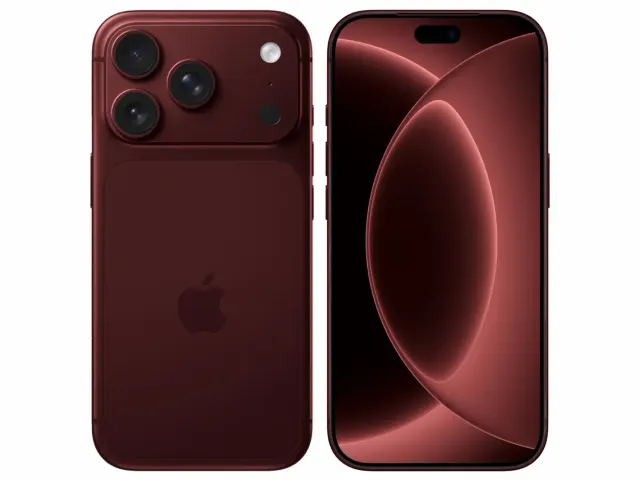
Apple iPhone 18 Pro
"The iPhone 18 Pro is now a confirmed $1,199 flagship with meaningful hardware changes, but launch specifications do not prove that those changes improve ownership enough to justify upgrading. Wait for independent battery, thermal, camera and C2 modem testing if your current phone still works well."
"Starts at $1,199 in the US"

ASUS Vivobook Go 15 OLED Slim Laptop
"A budget-friendly 15.6-inch laptop crippled by non-expandable 8GB soldered memory, an outdated Zen 2 CPU architecture, dim 250-nit screen, and plastic chassis flex."
"8GB LPDDR5 RAM is permanently soldered to the motherboard (Zero upgrade slots)"
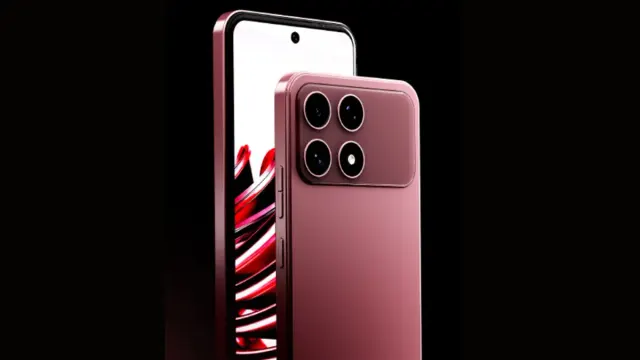
Boltt Ace 5G
"The Ace 5G offers a large battery, NFC and a clear update promise for its price, but the coarse display, 18W charging, heavy chassis and Boltt's unproven delivery record make waiting for independent tests the safer choice."
"6.79-inch display is only HD+"